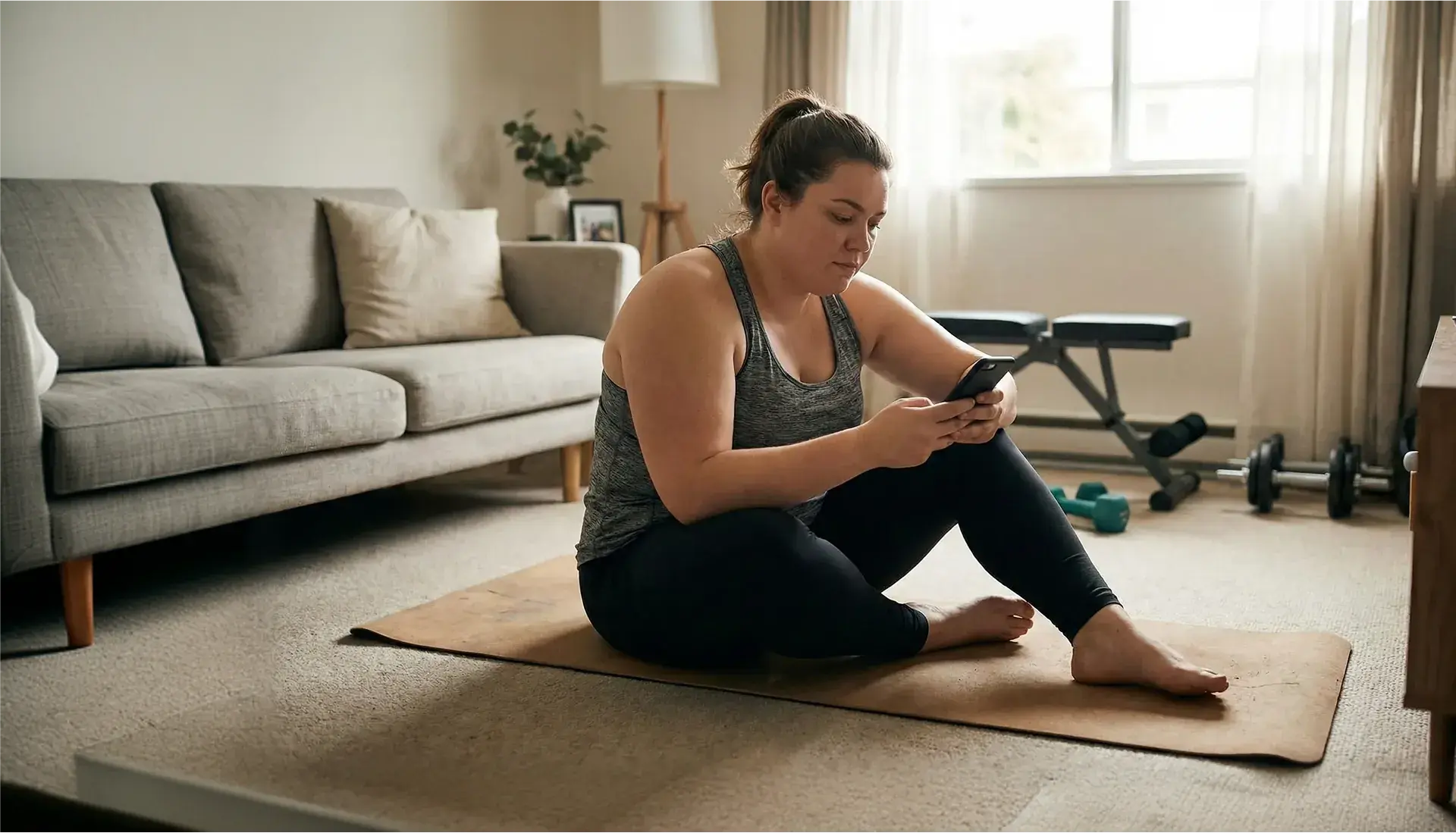
Simplify your fitness journey. One day at a time.
I evolved Trainest Coach from a calorie tracker to a daily plan system. I designed the Today's Plan dashboard, Action Score gamification engine, and a unified trainer management platform, connecting product strategy with development-ready prototypes.
Fitness apps give you everything. Users need one thing.
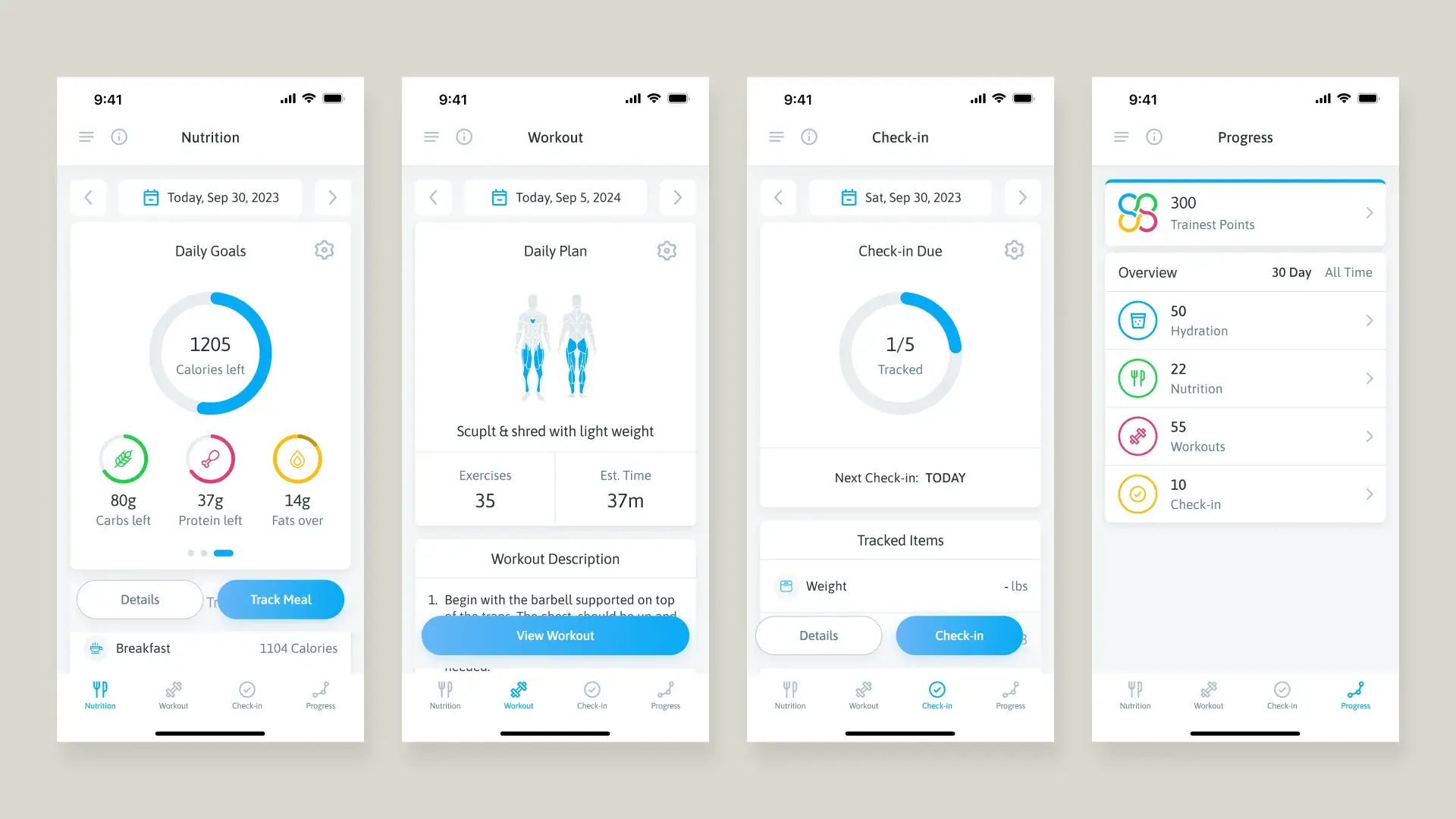
Most fitness apps are built as feature collections: a workout tab, a nutrition tab, a check-in tab, a progress tab. Users open the app and don't know what to do. They bounce between sections, miss steps, and eventually stop opening the app altogether. The features exist, but the guidance doesn't.
Trainest's product team (including the founder) had a conviction: the app should answer one question: "What do I need to do today?" Not which tab to open. Not how to configure a macro split. Just: here's your plan, check it off, watch your progress build. That's the product I designed.
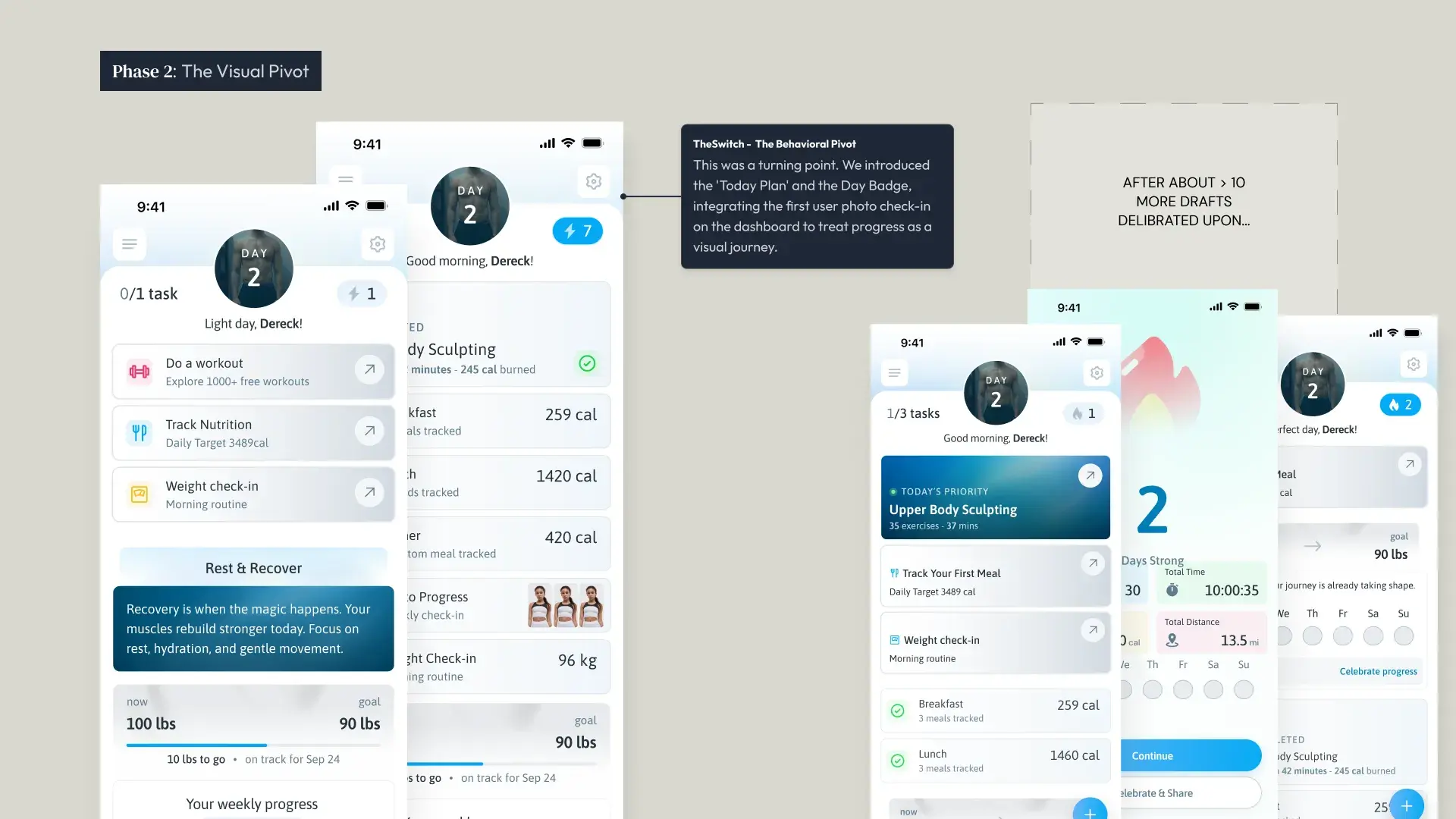
The Today's Plan didn't arrive fully formed.
The app separated workouts, nutrition, and check-ins into silos: a tab-based architecture. The team explored redesign directions before choosing the daily plan concept.
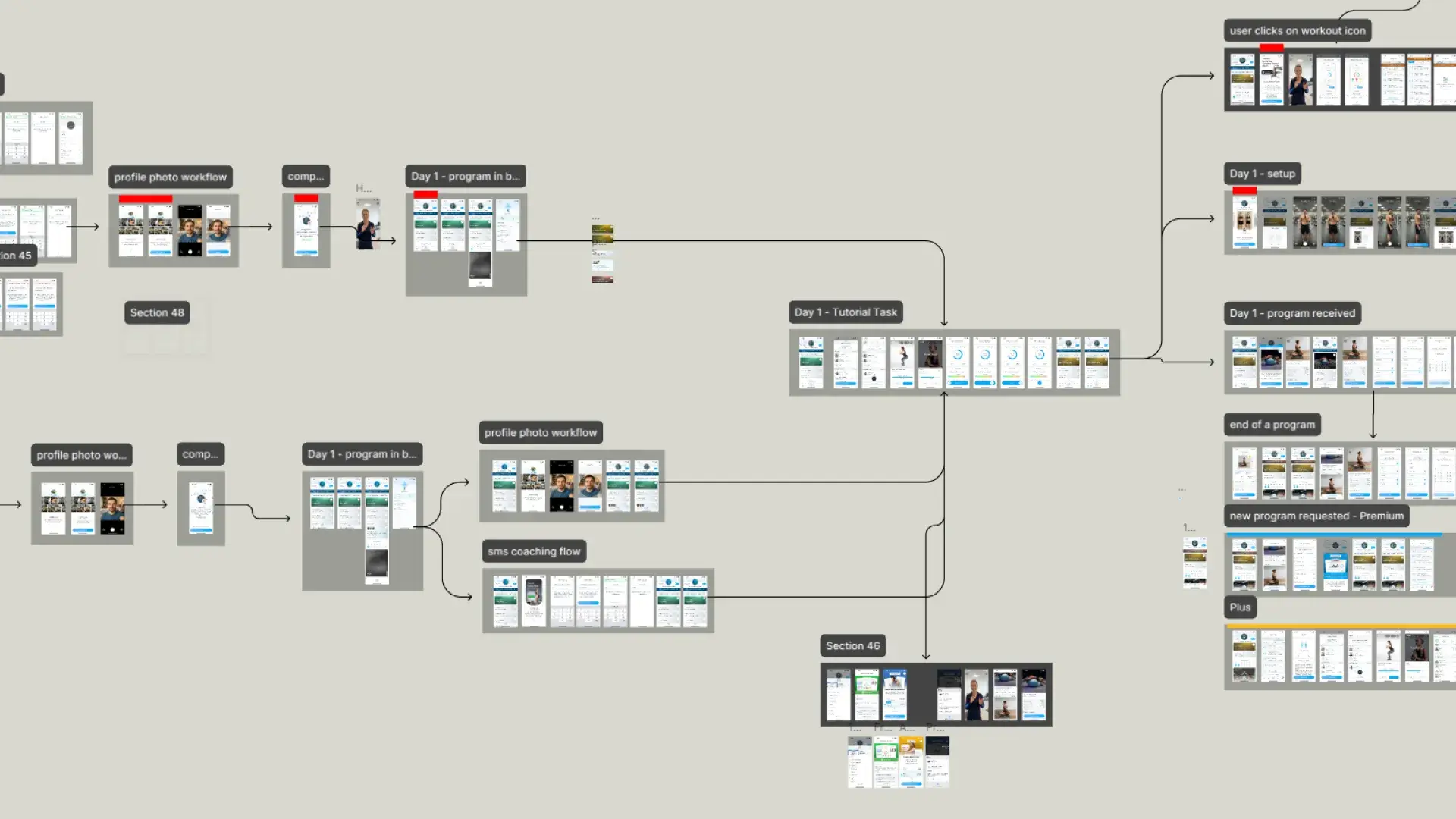
Our CEO had already mocked up earlier versions of a unified dashboard, but they hadn't clicked. "This is the wrong version, because we had a version with it in the middle" was a recurring refrain in our working sessions. We iterated through at least four distinct concepts:
Option A – Assessment-first onboarding
Move assessment questions before account creation, then show a paywall or overlay tour after signup. Modular onboarding: clicking 'nutrition' onboards nutrition, 'check-ins' onboards check-ins. The team felt familiar and aligned with competitors.
Option B – Fitness plan as the center tab
Dereck's vision: position the app as a 'personal fitness plan' with features based on assessments. A tab for 'Your Trainer's Fitness Plan' (today's workout, check-in, adherence ring). This is closer, but still app-structured rather than user-focused.
The reframe that changed everything
We stopped asking 'how do we organize features?' and started asking 'what does the user need to do today?' That question collapsed four tabs into one daily checklist. The home screen is the plan. Not a hub to navigate from. The thing itself.
Today's Plan ships
The final design unified workouts, nutrition, check-ins, and photo progress into a single daily view with four completable actions. The user opens the app and immediately knows what to do. Everything else (journeys, action scores, trainer tools) flows from this core decision.
Designing under real pressure.
Trainest was a startup with real constraints, operating under significant resource pressure that made every design decision also a business decision. The team had different instincts:
Our CEO pushed for aggressive monetization and repositioning: paywall-first flows, upsell sequences, and rapid feature shipping to drive revenue before runway ran out. His perspective was survival-first: ship fast, convert faster.
Our lead developer advocated simplicity: "simple scales, fancy fails." He argued that bundling one clear offer was better than presenting users with a confusing array of choices. His instinct was that too many options would erode the trust they needed to build.
My role was finding the design that served both. The Today's Plan became the answer because a single, compelling daily experience was both the best UX and the strongest conversion argument. Users who complete 4 daily actions don't need to be sold on the product. They've already felt the value.
We deferred social community features, custom ML-driven plans, and advanced analytics to focus the MVP on one hypothesis: if we simplify the daily experience to a checklist with a score, will people stay? That constraint (born from real resource pressure) forced a clarity that made the product better.
Today's Plan – the daily dashboard.
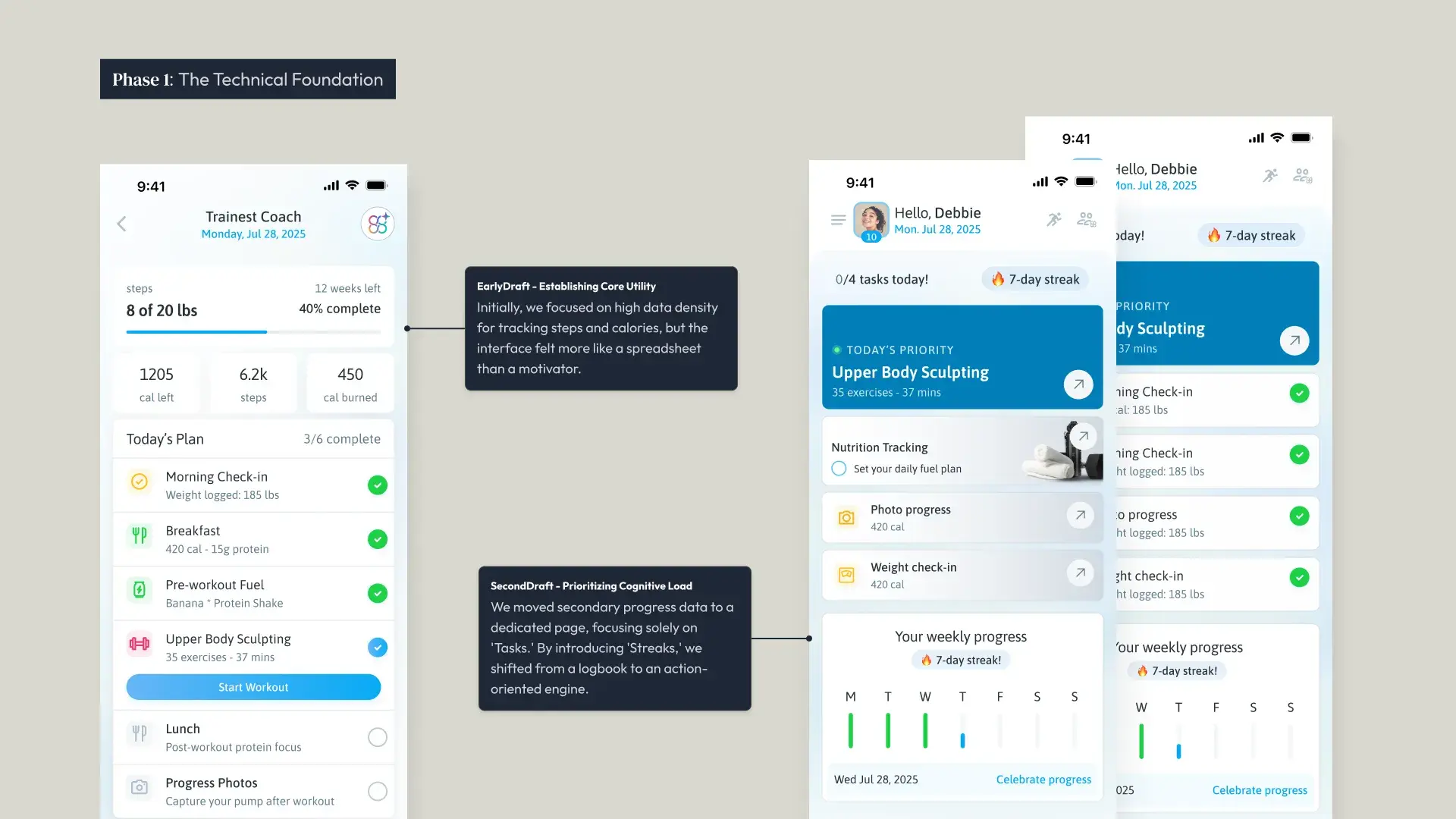
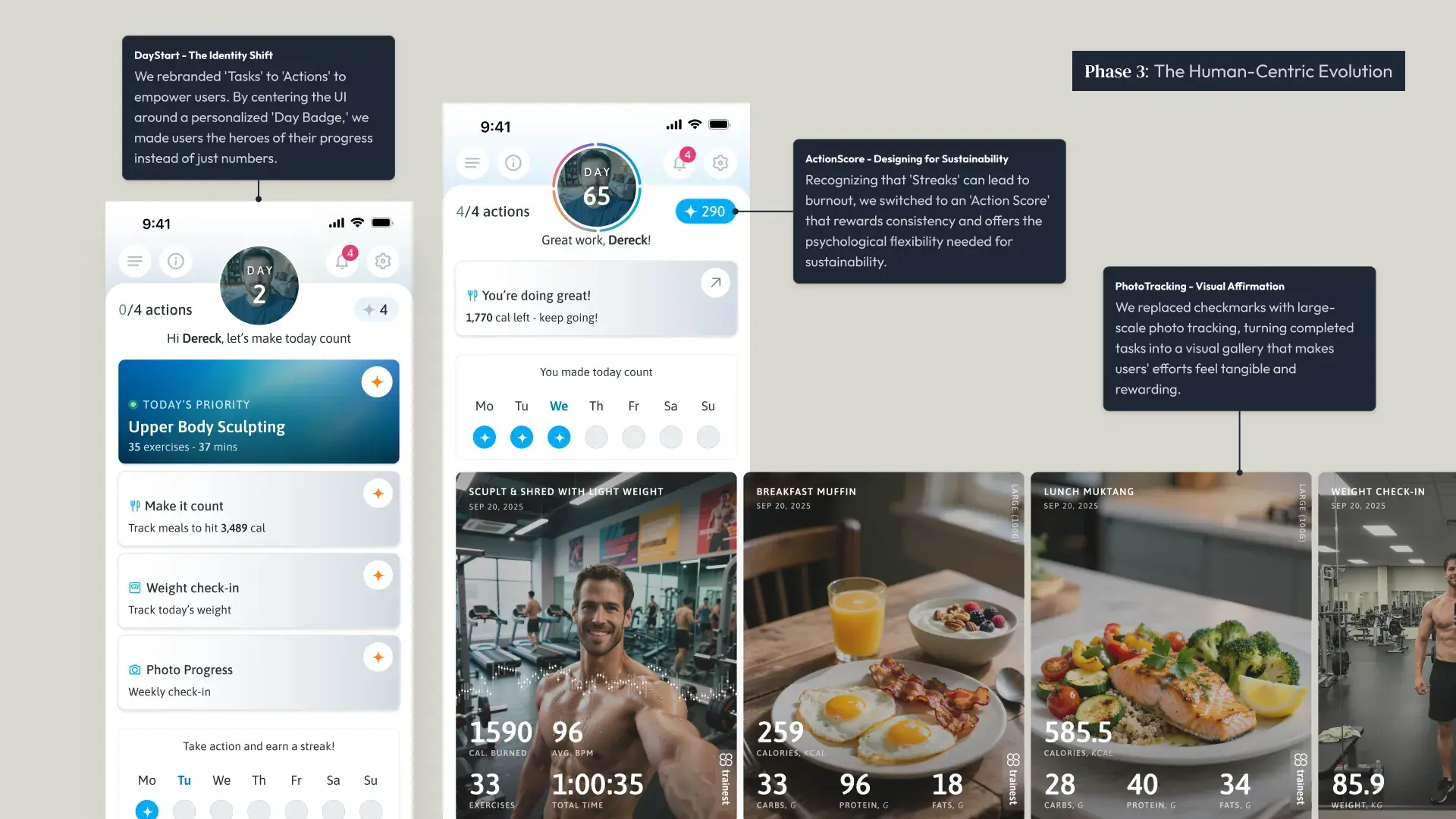
The Today's Plan page combines feature tabs into one checklist. Open Trainest to see your workout, nutrition target, weight check-in, and photo progress, all in one screen.
The day counter tracks your journey (Day 65, Day 86…) and shows active days at the bottom, reinforcing consistency. As you complete actions, the screen changes from "let's make today count" to "Great work, [name]!" with daily highlights below.
Unified over siloed
Workout, nutrition, check-in, and photo progress all live on one page. Users don't choose where to start. The plan tells them. Each item has a clear CTA and contextual detail (e.g., 'Track meals to hit 3,489 cal').
Coach-built, user-followed
The daily plan isn't generic. Trainers build custom programs (Upper Body Sculpting, 35 exercises, 37 mins) and assign them to clients. The user just sees 'Today's Priority.' The thinking is done for them.
State-driven motivation
The dashboard has two emotional states: '0/4 actions – let's make today count' (anticipation) and '4/4 actions – Great work!' (celebration). The transition between them is the core reward loop.
Highlights build in real-time
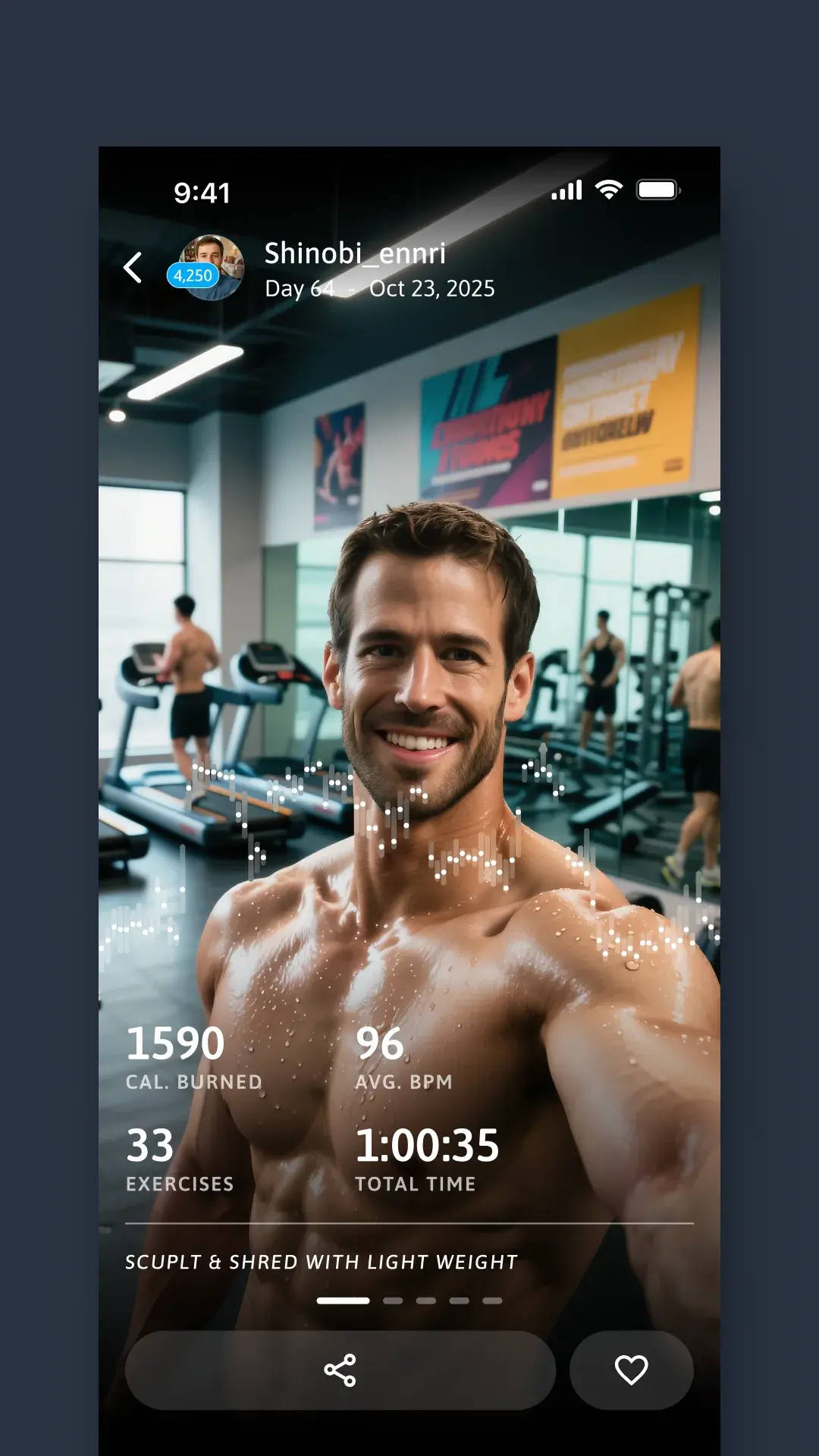
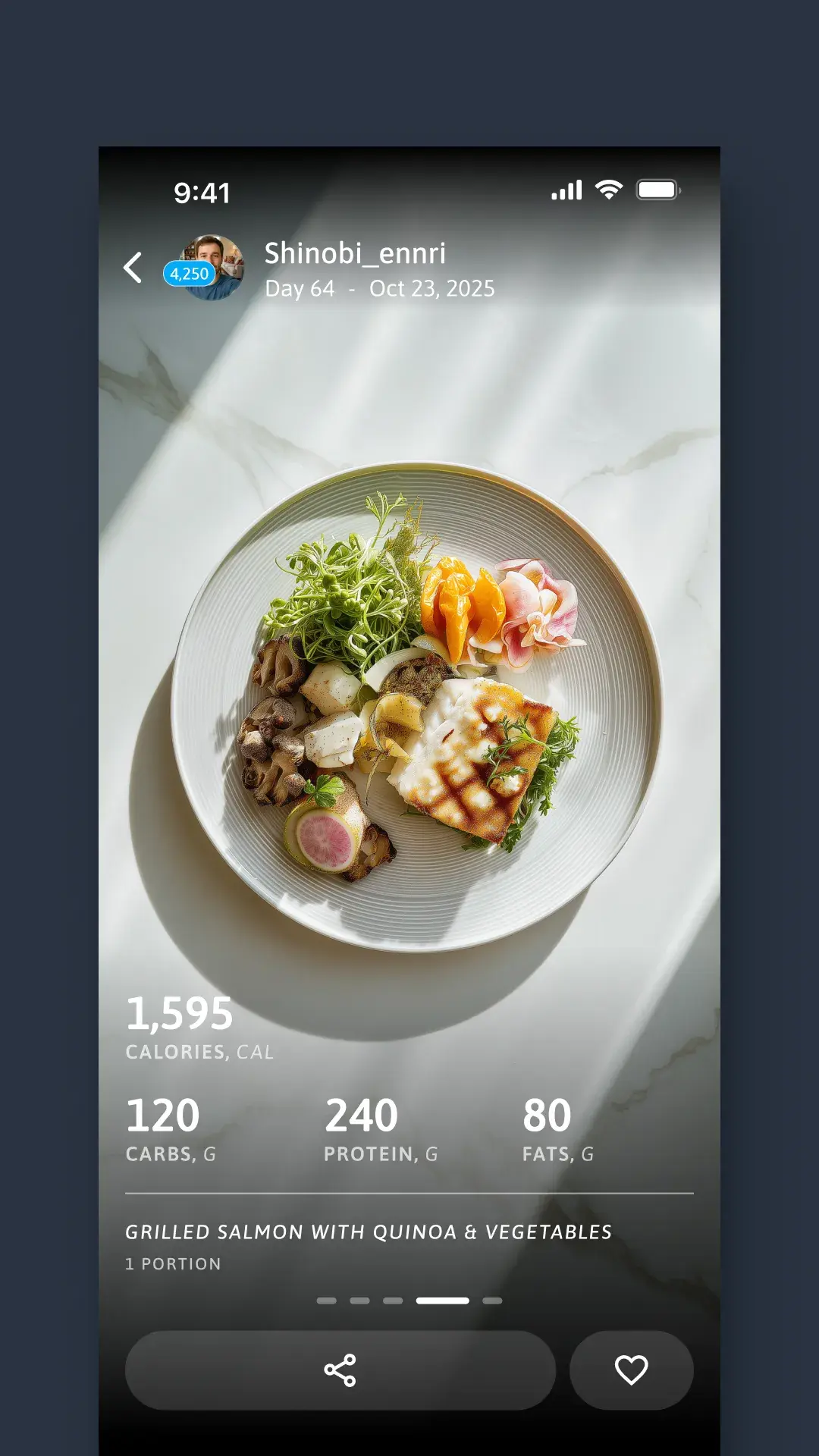
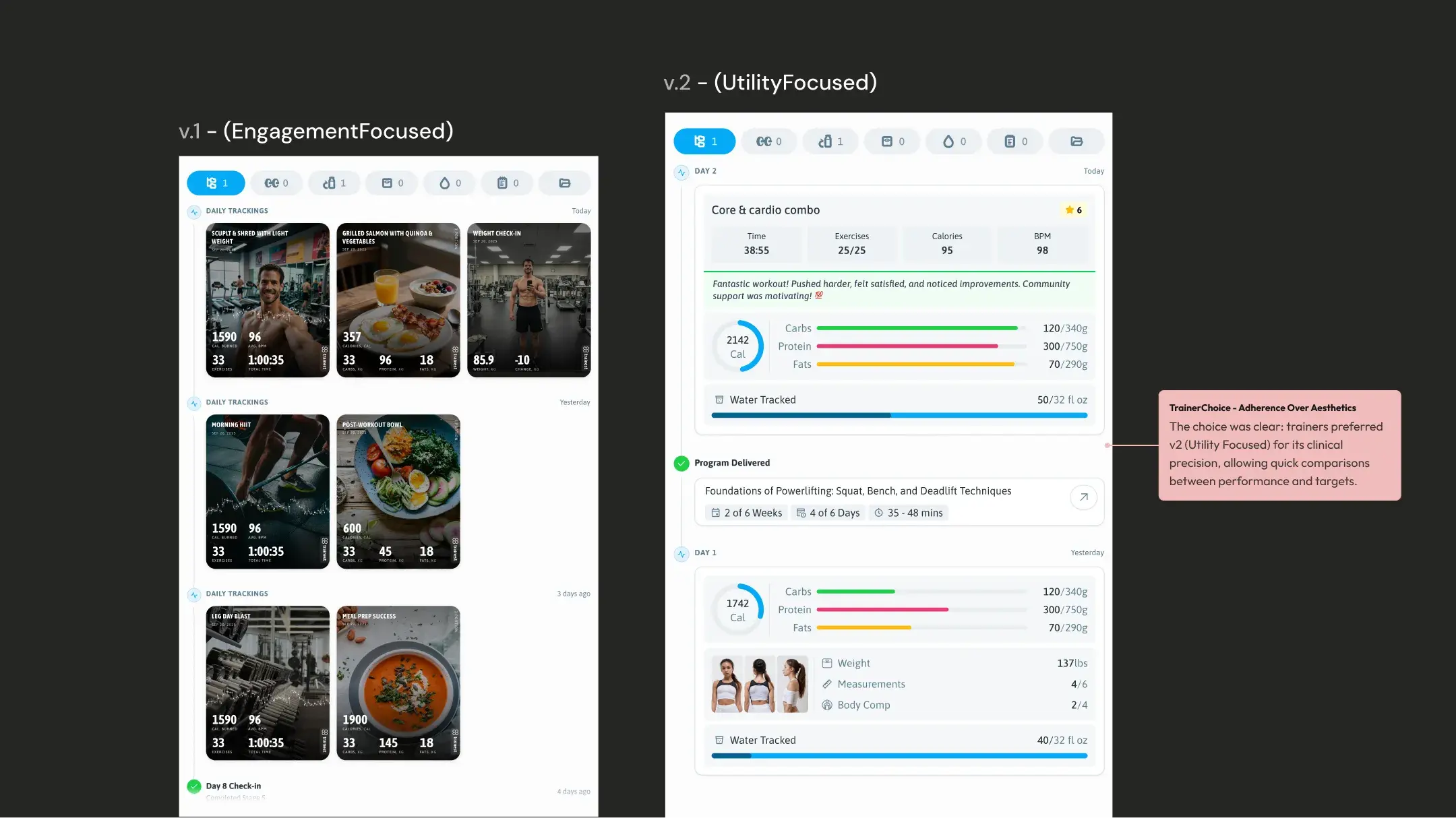
As users complete actions, photo-centric highlight cards appear on the dashboard, workout stats overlaid on exercise photos, meal macros on food shots, weight on progress selfies. Your day becomes a visual story.
The Action Score – progress you can feel.
Day streaks are fragile. Miss one day and your motivation collapses. The Action Score is a cumulative number that always grows when you show up and gently penalizes inaction. It's not binary (streak intact vs broken). It's a gradient that rewards consistency without punishing life getting in the way.
A score of 1,384 tells a story no streak can
The Action Score page shows the cumulative total, this week's earned points, and a chronological feed of every action taken, organized by day. Days with activity show blue icons and point totals. Missed days show pink icons and the −3 penalty. Over time, the feed becomes a complete record of someone's fitness journey, not in photos, but in actions.
Your fitness journey, told in photos.
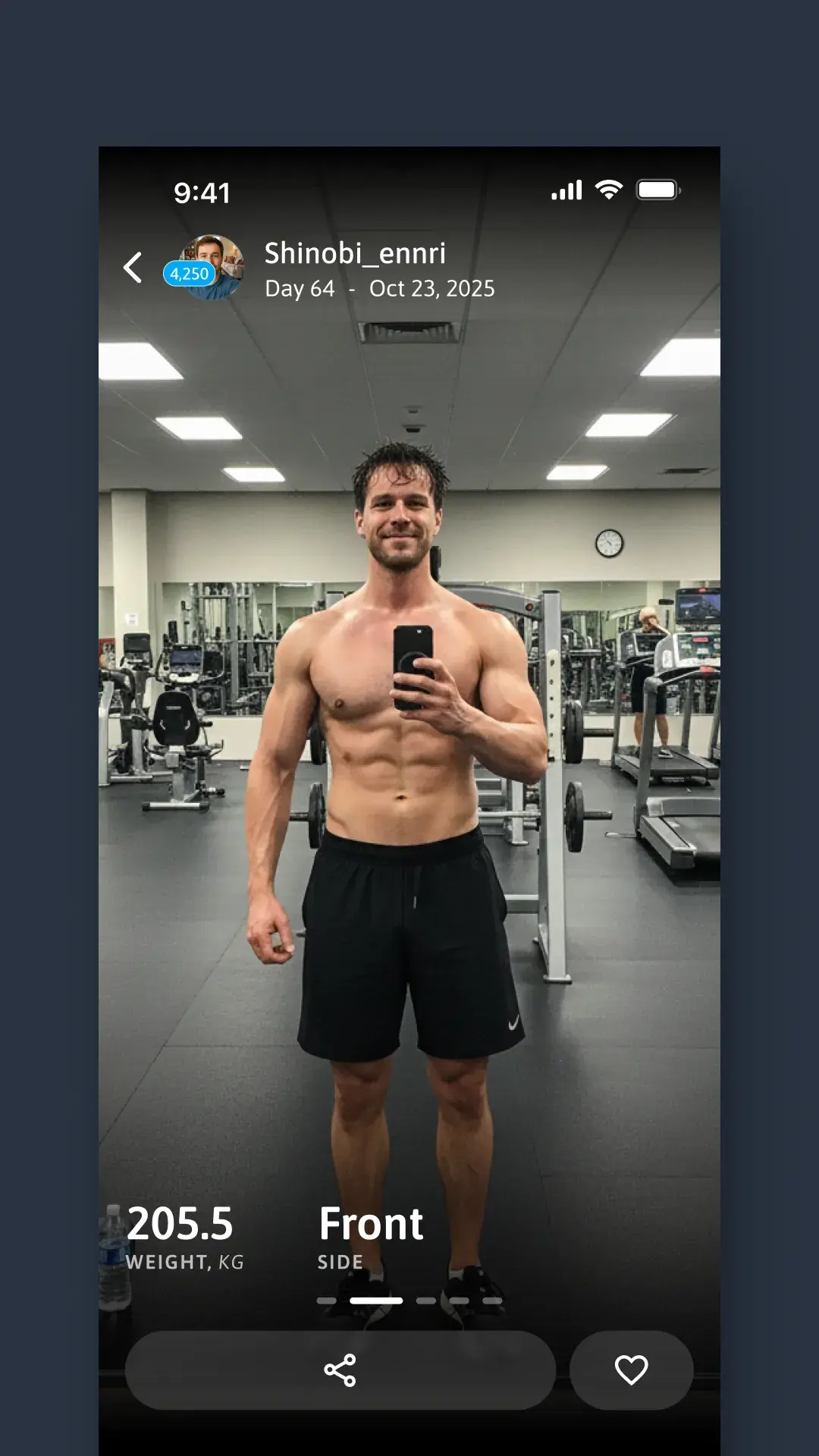
Every completed action can include a photo (a gym selfie, a meal, a weigh-in). These photos become full-screen, swipeable daily highlights with overlaid stats. The Journey section is a scrollable timeline of your transformation, organized by day, shareable on social media.
The choices that shaped the product.
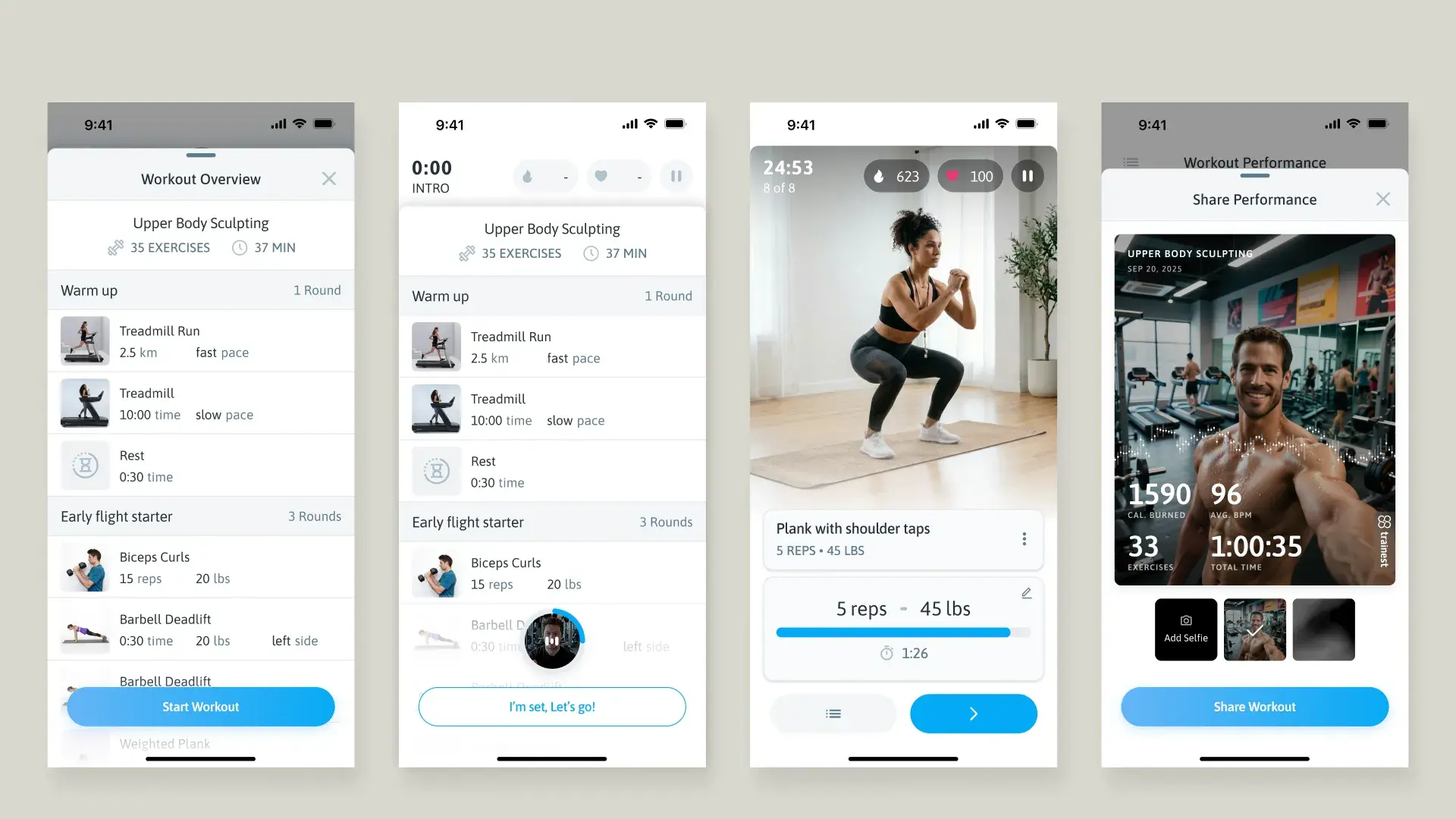
We mapped the workout as a story arc, not a form
We had two options: a standard log-as-you-go form, or a guided flow with a defined beginning, middle, and end. We chose the latter. Overview → exercise-by-exercise guidance → performance summary → photo capture → share card. Every step is designed to close with a shareable moment — turning a private act into social proof for the product.
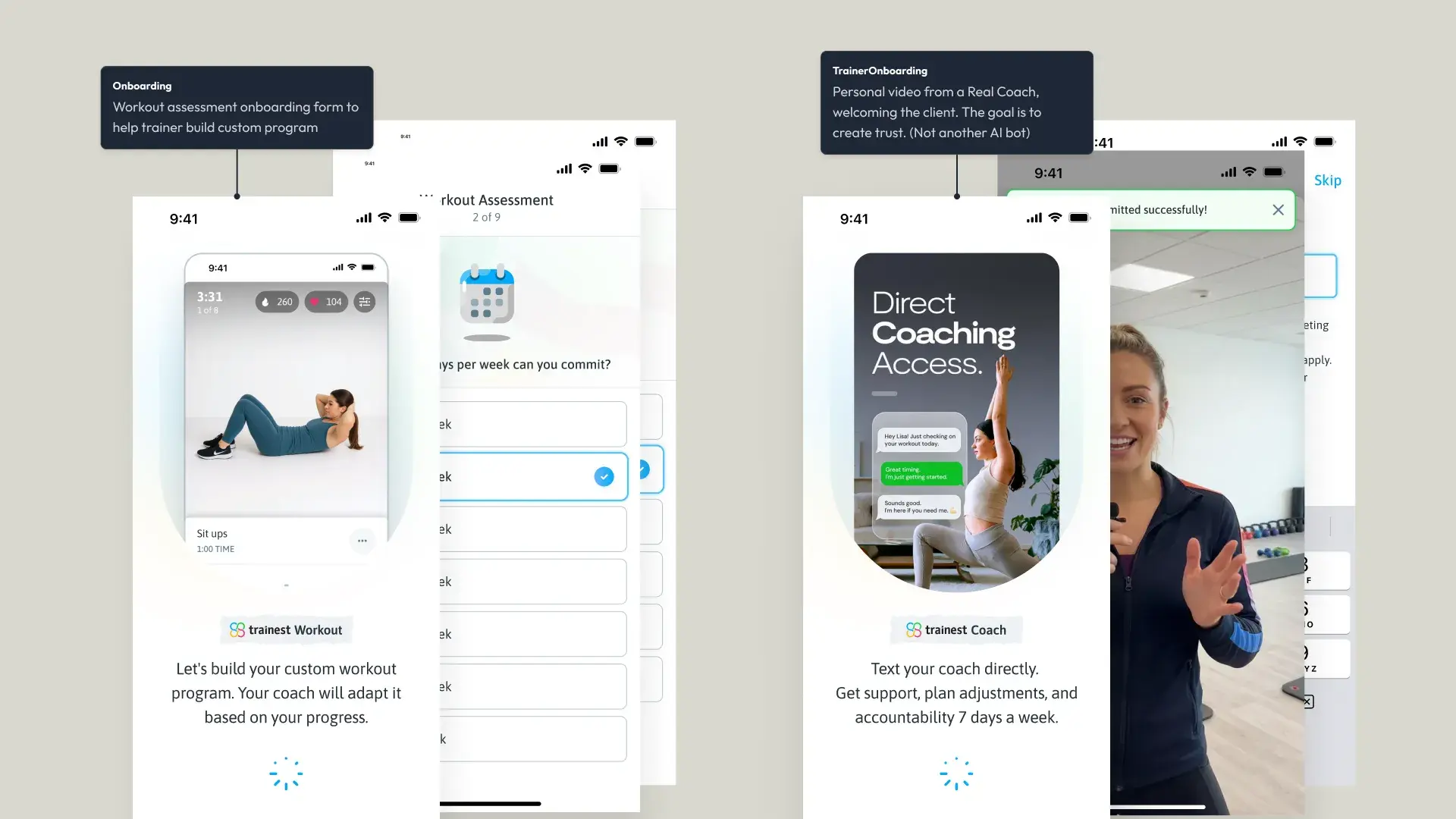
We sold a relationship, not a feature set
Early onboarding introduced users to the app's features. We replaced it with a coach-first framing: 'Welcome to Premium Coaching – answer a few questions for your coach to create your plan.' The distinction matters: one asks users to learn an app, the other asks them to trust a person. The splash screen previews the daily view they'll live in, so the promise is immediate.
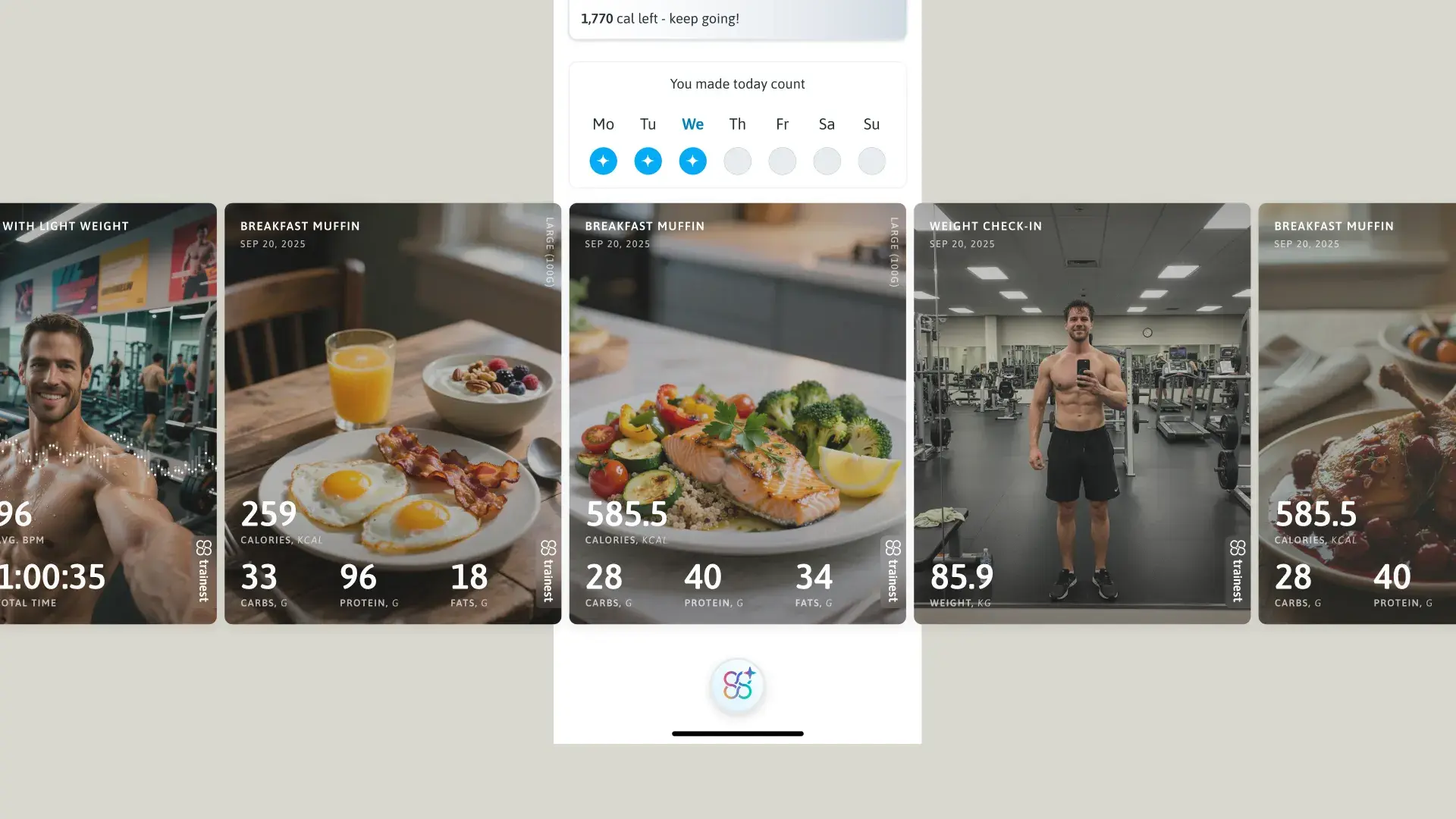
Highlights as immediate reward
As users complete actions, photo highlight cards appear directly on Today's Plan, not hidden in a separate Journey tab. The reward is visible immediately where the work happened.
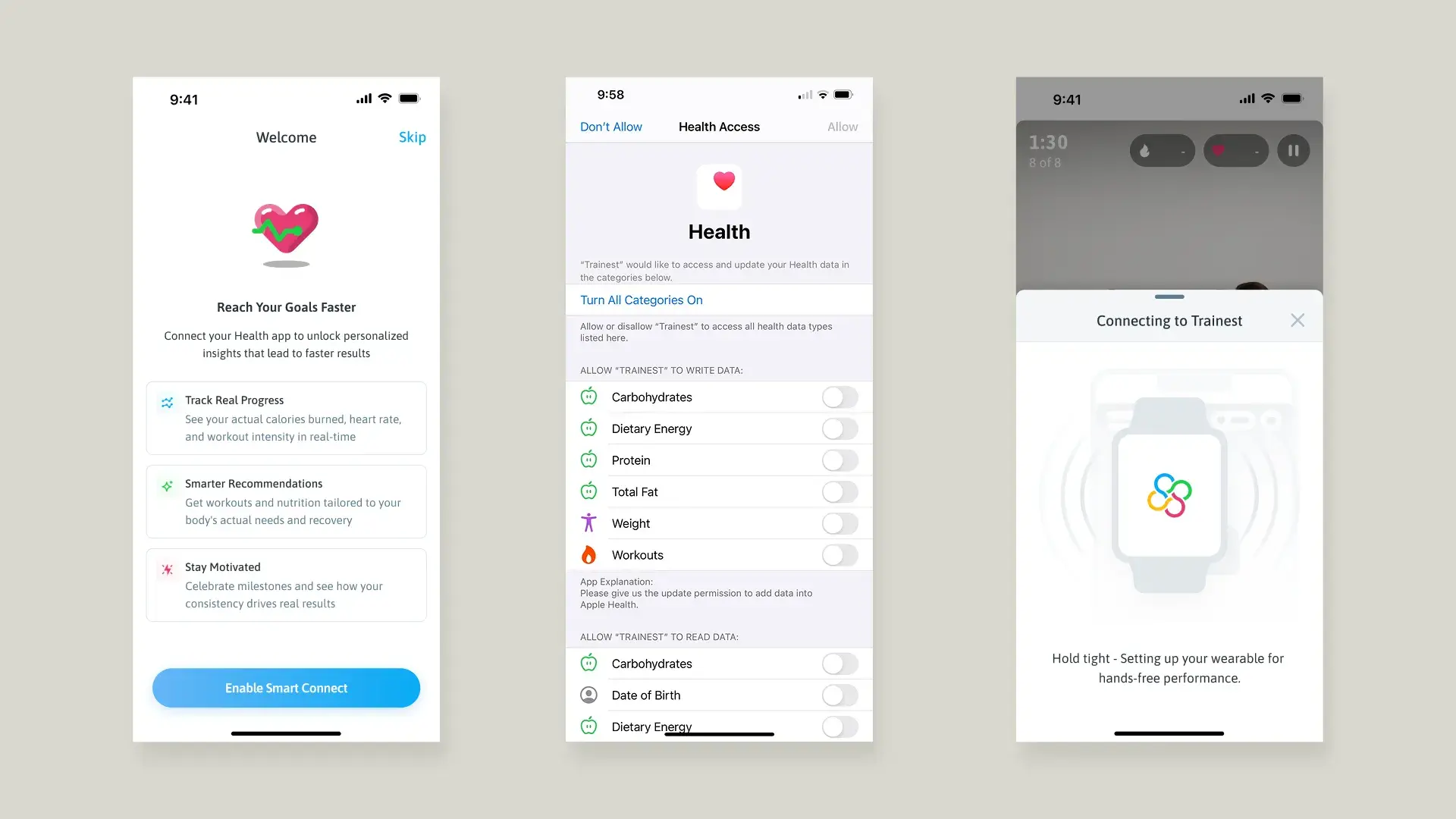
Smart Connect for real metrics
Connecting Apple Health unlocks actual calories burned, heart rate, and workout intensity. Positioned as 'Reach Your Goals Faster' rather than a permissions request. Benefit-first, not ask-first.
The other side:
where coaches work.
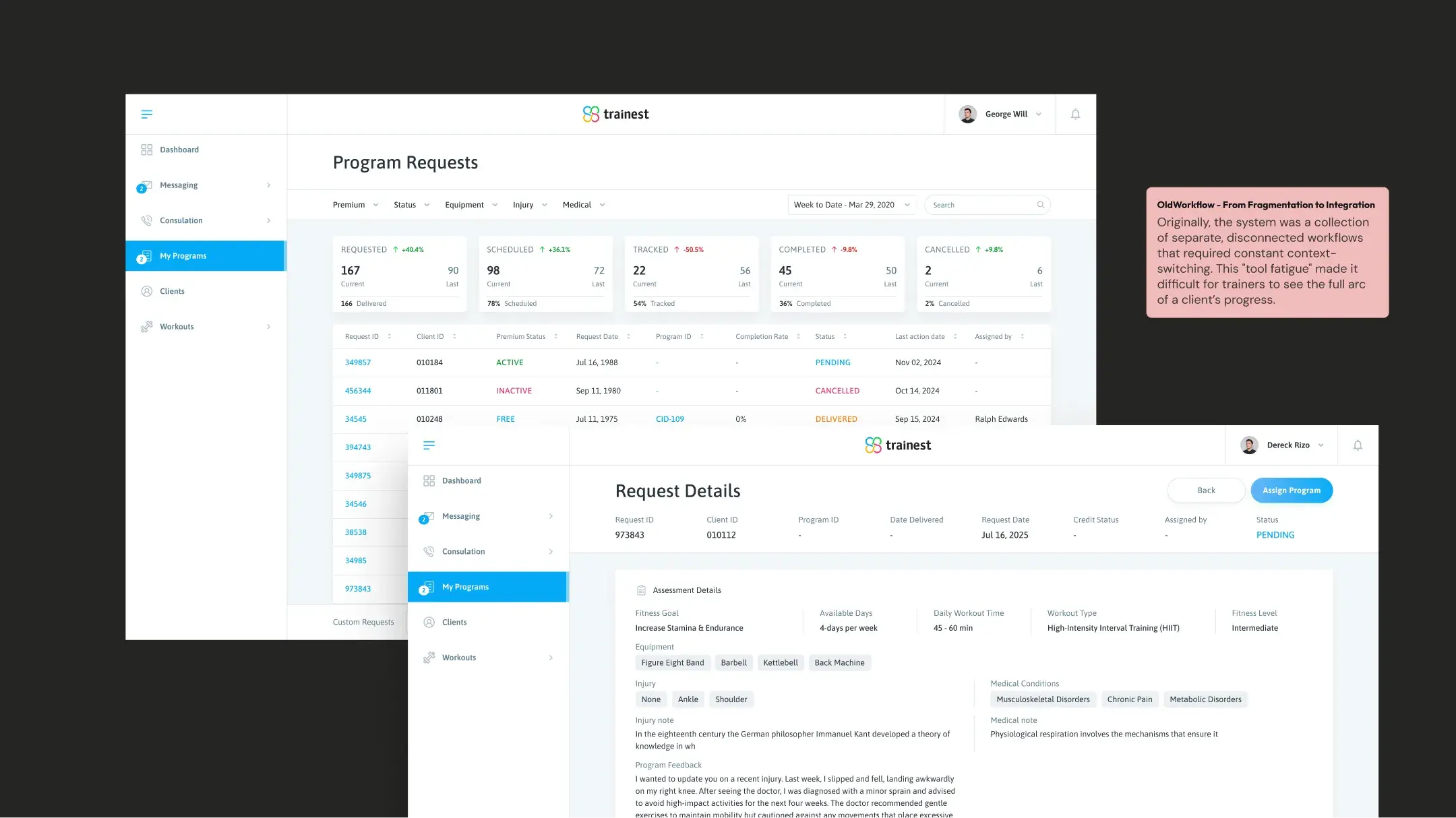
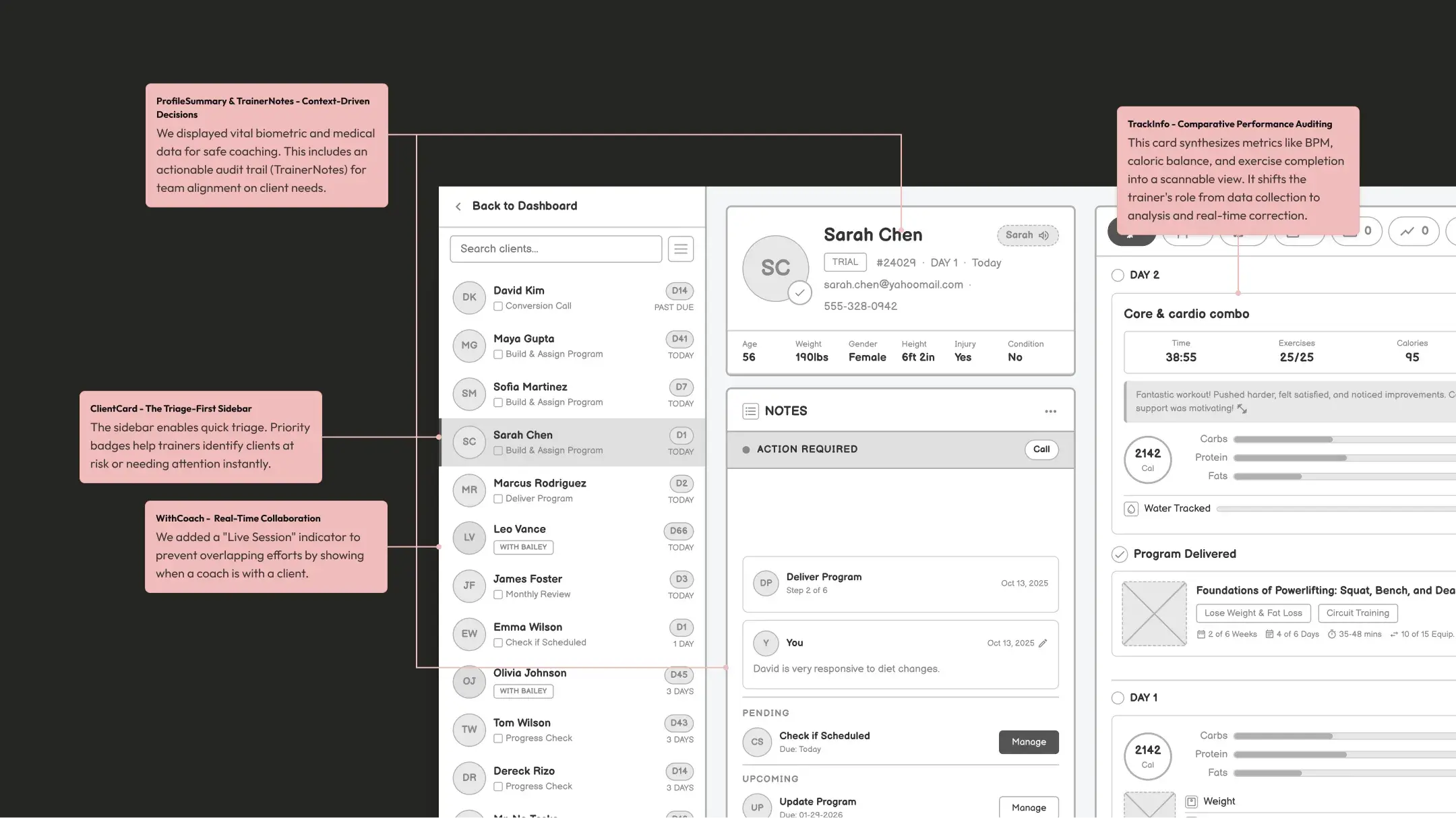
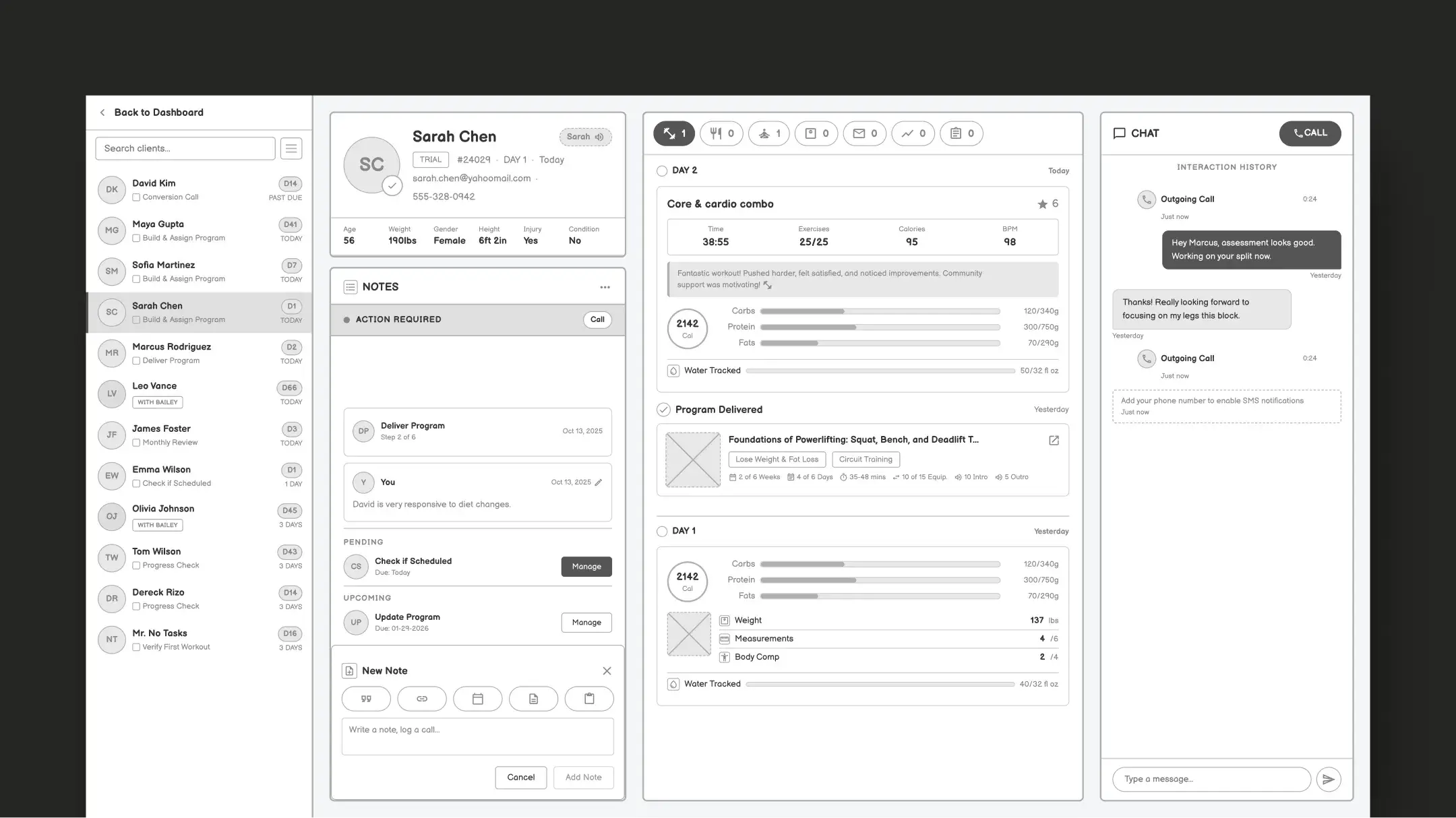
The Today's Plan only works if trainers can efficiently build and manage those plans. I designed a full web-based trainer management platform (client list, task pipeline, program delivery, nutrition tracking, messaging, and call management) all in one interface. This isn't a separate product. It's the engine that powers every user's daily experience.
Client Pipeline
Sortable client list with day counters, task status (Build Program, Monthly Review, Past Due), and assignment badges showing which trainer owns each client.
Client Profiles
Full profiles with bio data, notes timeline, completed/pending/upcoming tasks, and a structured coaching workflow: Welcome Call → Deliver Program → Check-ins → Reviews.
Program Delivery
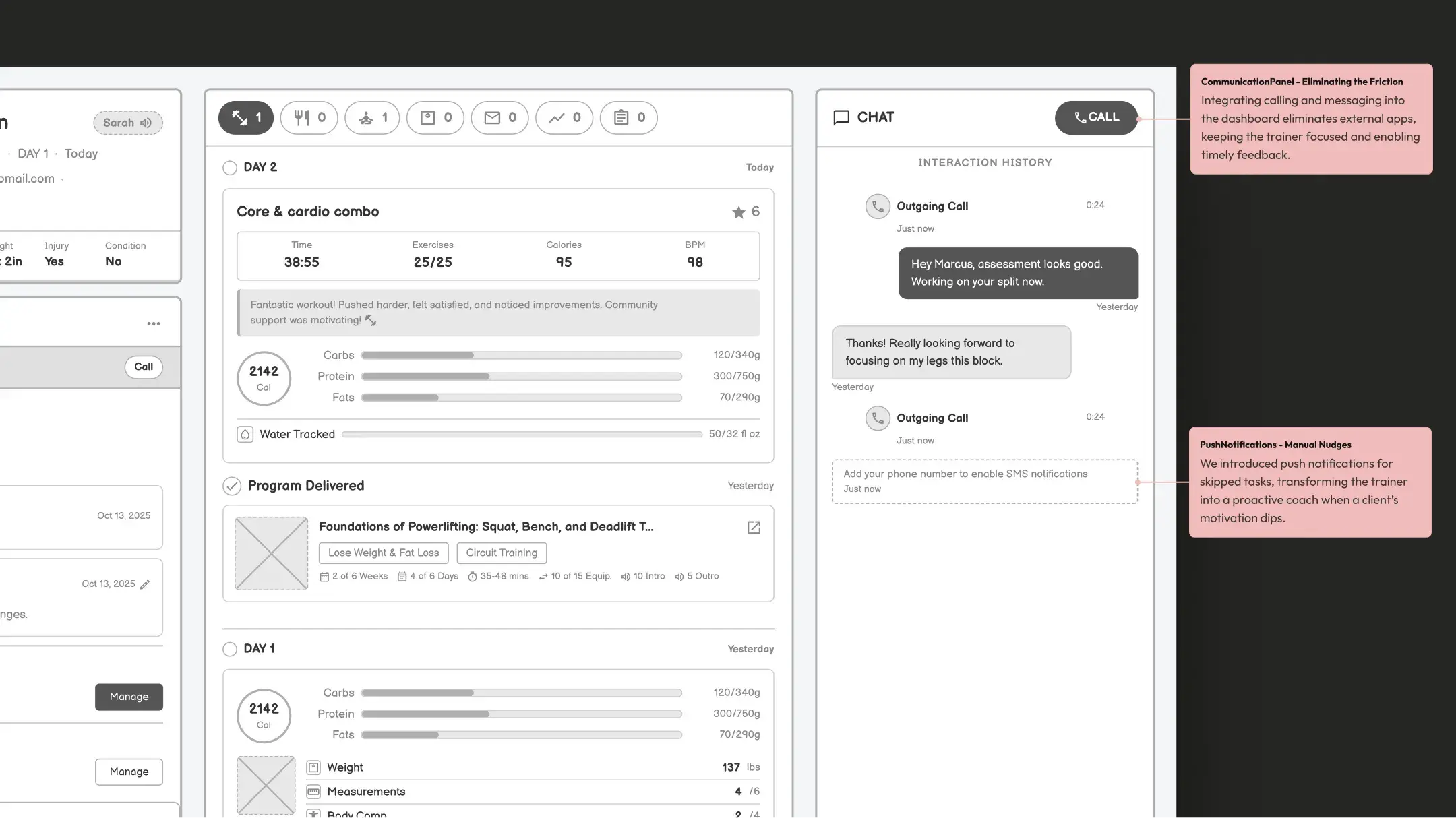
Trainers build multi-week programs with exercise details, calorie targets, and macro splits, then deliver directly to the client's Today's Plan with one action.
Daily Nutrition View
Per-client macro tracking (carbs, protein, fats vs targets), water intake, and meal photos, visible alongside workout performance for a complete daily picture.
Chat + Call
Integrated messaging and calling within the client profile. Full interaction history so any trainer on the team has context on every client conversation.
Task Management
Structured coaching tasks with due dates, statuses, and the ability to add custom tasks or notes. Keeps trainers accountable to their own workflows.
This app keeps me consistent!
"Everything is structured and easy to follow, which takes the guesswork out of training. The workouts are well thought out, challenging without being overwhelming, and easy to fit into my routine."
Exactly what I was looking for
"I didn't believe there existed an app of this quality that is completely free, no ads, no subscriptions. It looks great, it works great, and it's very easy to use."
I used to love it! But…
"I am thankful for how the Trainest app has served me well in the last year and in my weight loss journey. I loved how easy it was to scan my food and enter my calories."
Designed it, then prototyped it.
I led product design for the iOS app and trainer web platform, prototyping key interactions in code. This allowed the dev team to experience the exact details I designed: checklist animations, photo card transitions, Action Score celebrations, and the emotional state shift.
The dual-platform challenge was a complex design problem. Every trainer decision had to appear correctly on the user side: a program in the dashboard needed to show as "Today's Priority: Upper Body Sculpting, 35 exercises, 37 mins" on the client's phone. Designing both sides meant every wireframe session involved systems architecture discussions.
The numbers that matter.
What I learned.
Trainest taught me that the hardest product design problem isn't adding features. It's finding the one view that makes everything else unnecessary. The Today's Plan page doesn't hide complexity; it resolves it. Workout, nutrition, check-ins, and progress photos all exist, but the user never has to think about where to find them.
The second lesson was about designing both sides of a two-sided product simultaneously. Every decision on the trainer dashboard directly shaped the user's daily experience. You can't design one without the other, and the best product decisions came from understanding how both sides connect.
The third (and maybe most valuable) was about navigating real business constraints as a designer. When the runway is measured in weeks, you can't design aspirationally. The cash pressure forced us to ask "what's the one thing that proves the product works?". That constraint produced a better product than any comfortable timeline would have. Deferred features (social community, ML-powered plans, advanced analytics) weren't losses. They were clarity.
Building a design system for Nigeria's street review platform.