
Ayika
Your calendar doesn’t know how you feel.
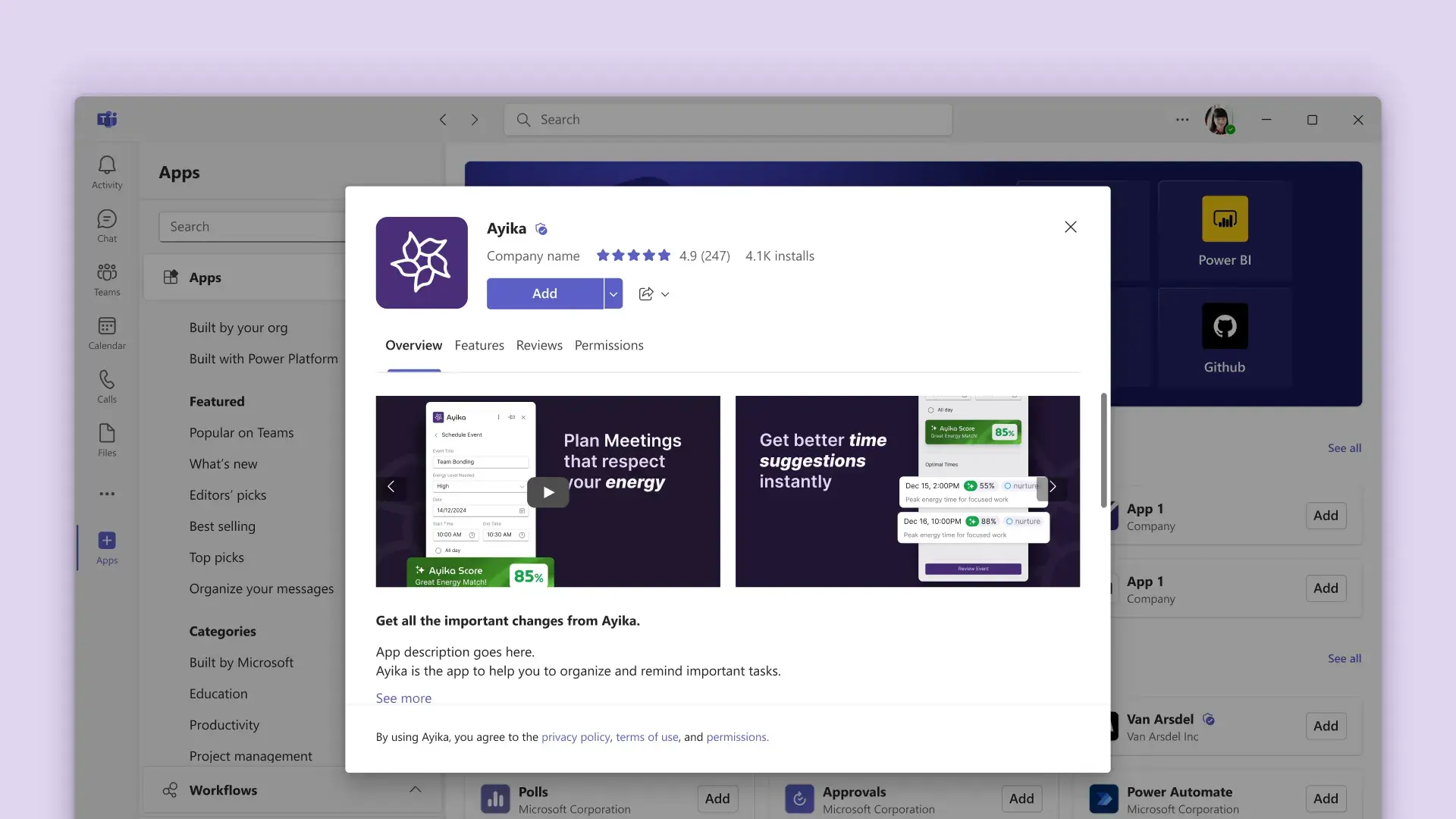
Ayika is an energy-aware calendar add-in that scores events based on your body’s natural rhythms. I designed the product across two platforms with radically different constraints, then built a marketing website with a phase calculator to drive early adoption.
Project details
- Tracking modes
- 2Menstrual + Ghost Cycle, both in the MVP
- Ayika Score
- 0 to 100On every event
- Scope
- Platforms
The challenge
Calendars treat all time as equal.
Your calendar knows when you’re free. It has no idea whether you’ll have the energy for what’s scheduled. A brainstorming session at 3 PM during a low-energy phase is set up to fail, but your calendar doesn’t know that, and neither do you until you’re sitting in the meeting wondering why your brain won’t cooperate.
Ayika’s founder came to me with a PRD built around a core insight: the body cycles through predictable energy phases that should inform how we schedule. My job was to turn that concept into a product that works inside the calendar apps people already use (as an Outlook and Google Calendar add-in, not a standalone app). That constraint defined everything.
The Ayika Score: 0 to 100
- Peak80 to 100
- Fair60 to 79
- Reschedule<60
- No data
Inclusive by design
Energy tracking for every body.
The product concept started with menstrual cycles, a well-documented source of predictable energy fluctuation. But that would exclude half the population. The Ghost Cycle was the design decision that made Ayika universal.
Ghost Cycle maps energy phases to the lunar cycle, a 29.5-day rhythm that anyone can use regardless of biology. It’s not pseudoscience; it’s a structured framework that gives non-menstruating users the same phase-based scheduling benefits. Both tracking modes ship in the MVP, with a third (Custom Pattern, powered by ML) planned for post-MVP when mood tracking is introduced.
Menstrual Cycle
Ghost Cycle
Designing for constraints
One product. Two platforms. Completely different rules.
The hardest part of Ayika wasn’t the concept. It was making it work inside calendar add-in frameworks that each have their own restrictions. I worked closely with the dev team to map every constraint before designing a single screen. What I learned: Outlook gives you room to be creative. Google… doesn’t.
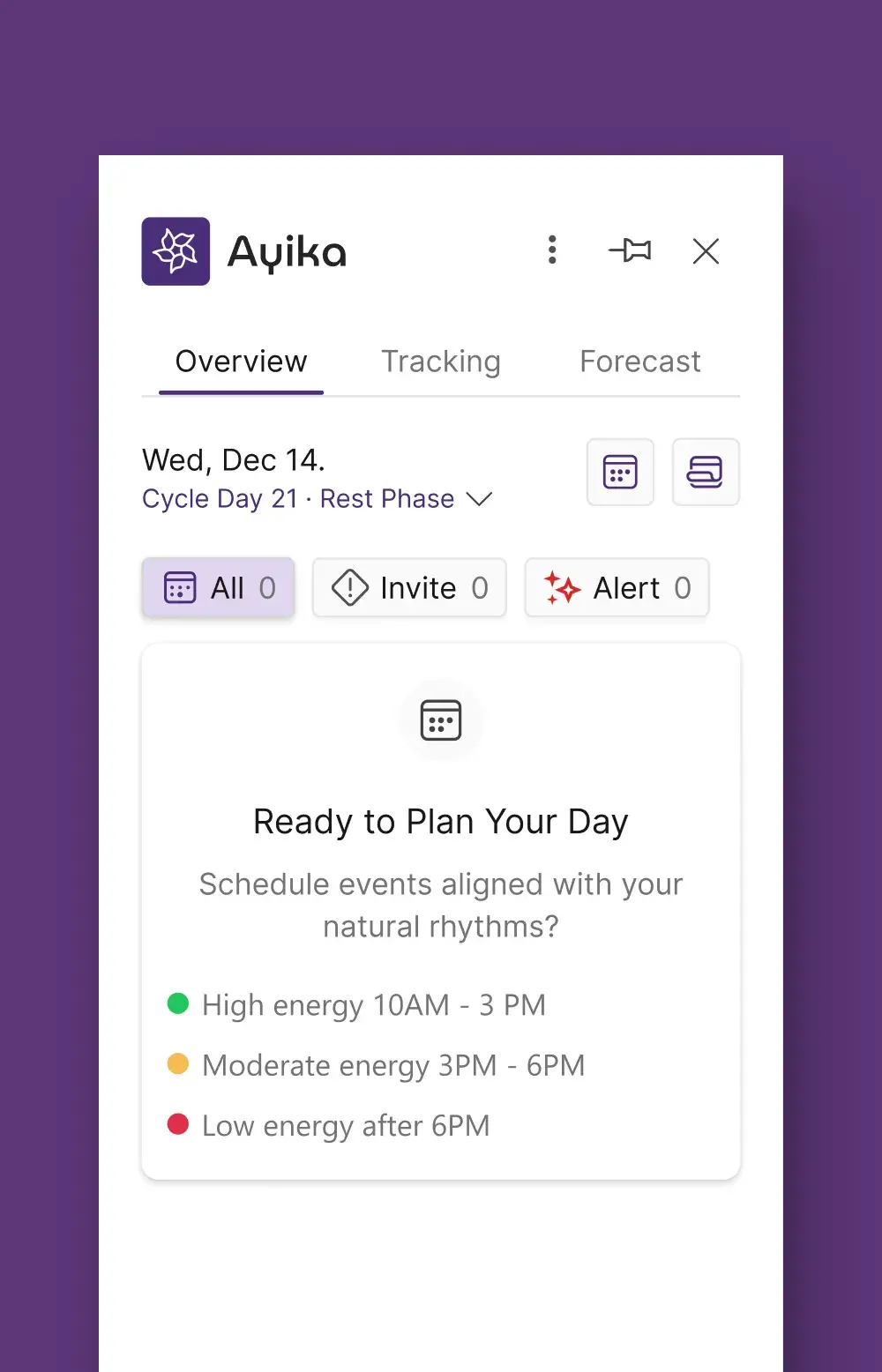
Outlook add-in
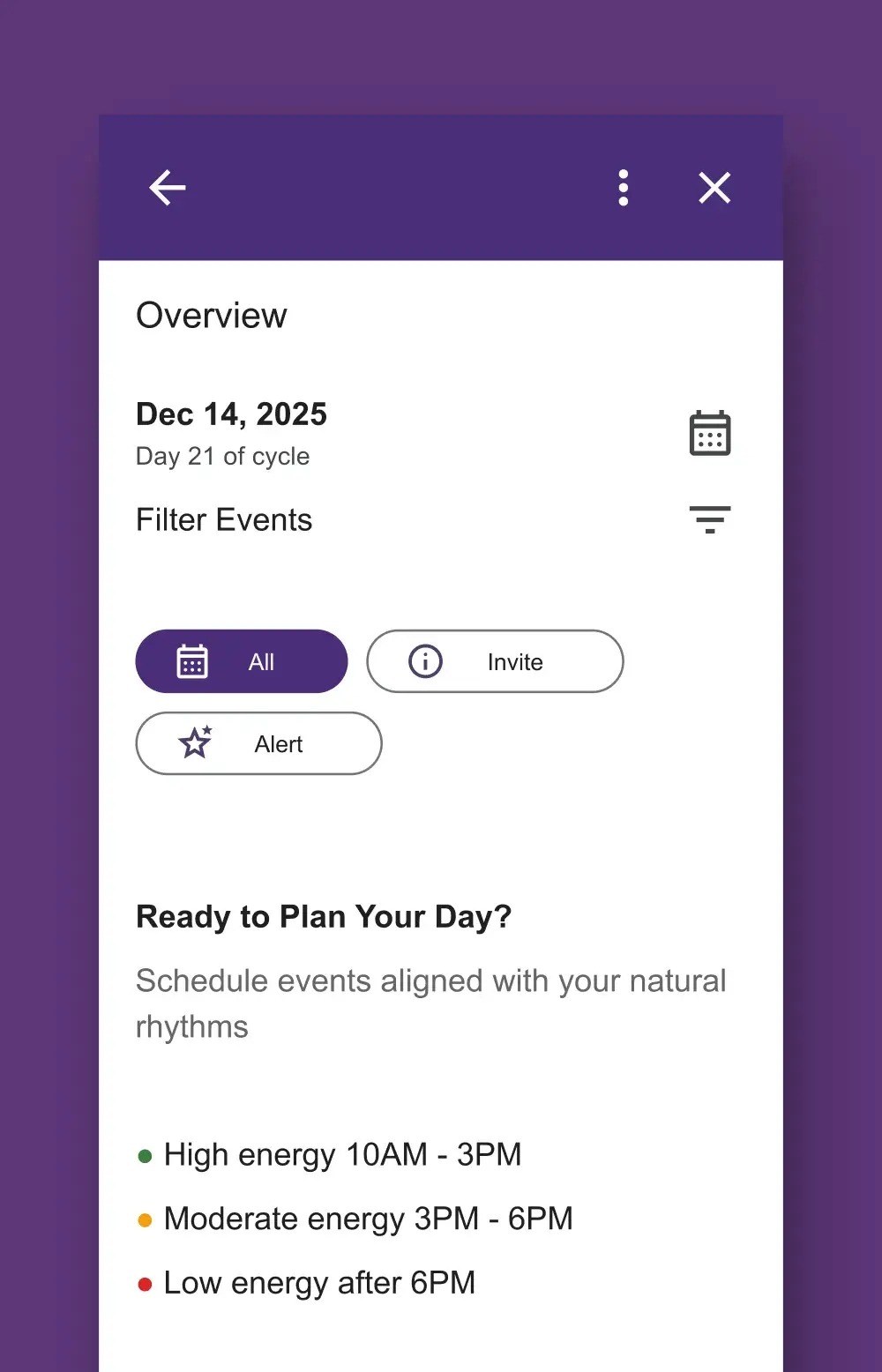
Google Calendar add-in
Key design decisions
The choices that shaped the product.
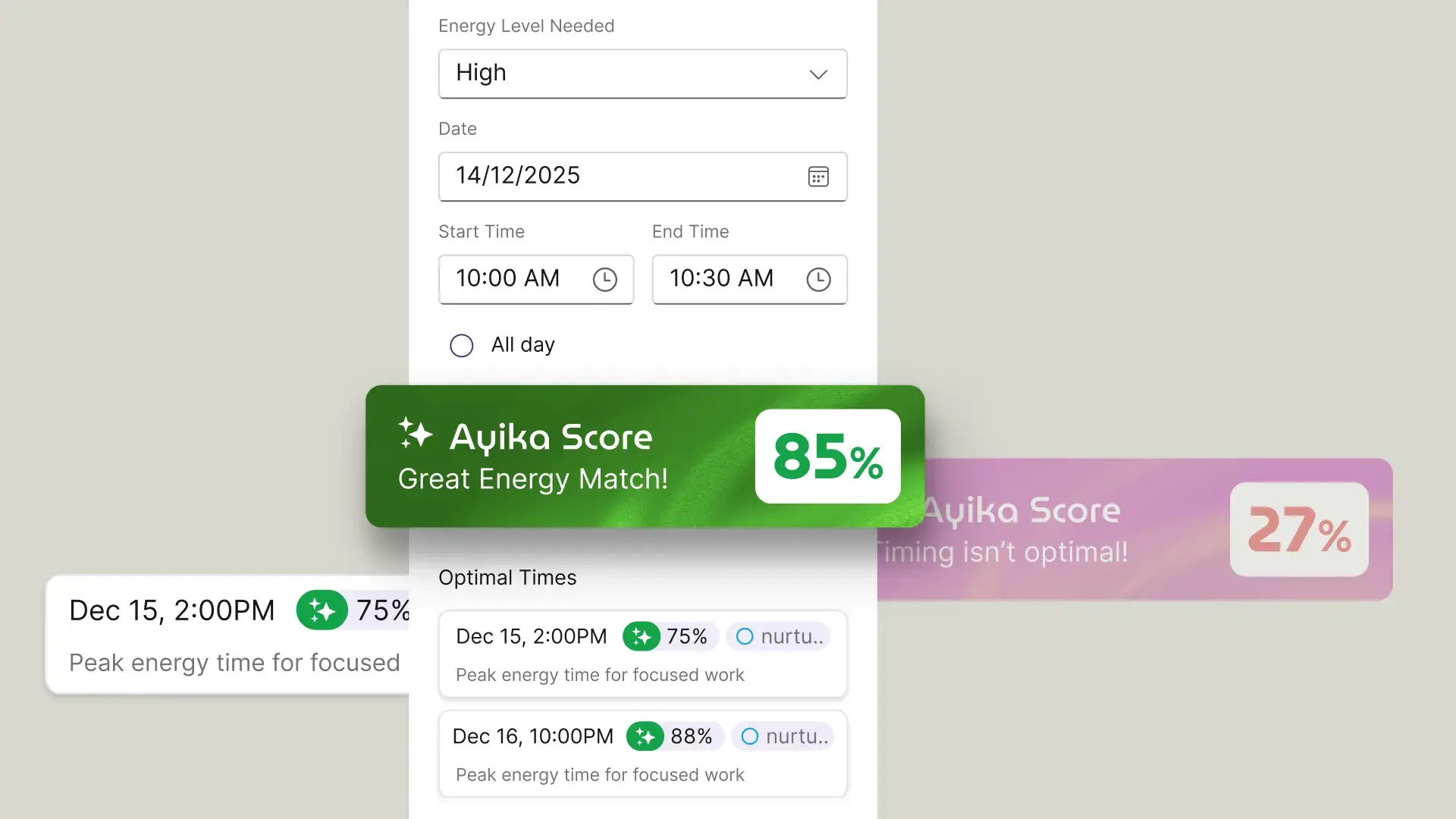
Scores live on the event, not on a separate page
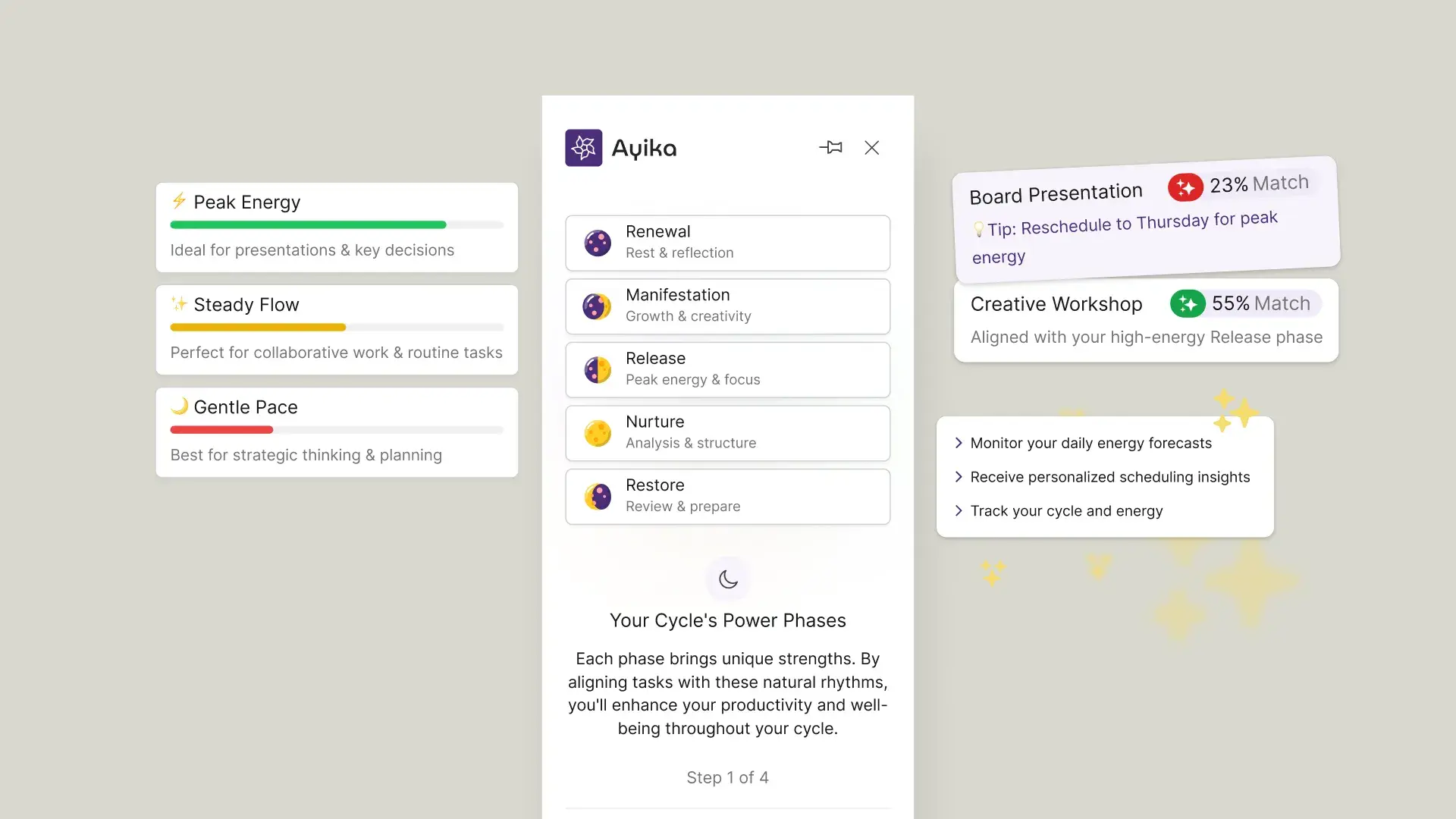
Teach the phases before showing scores
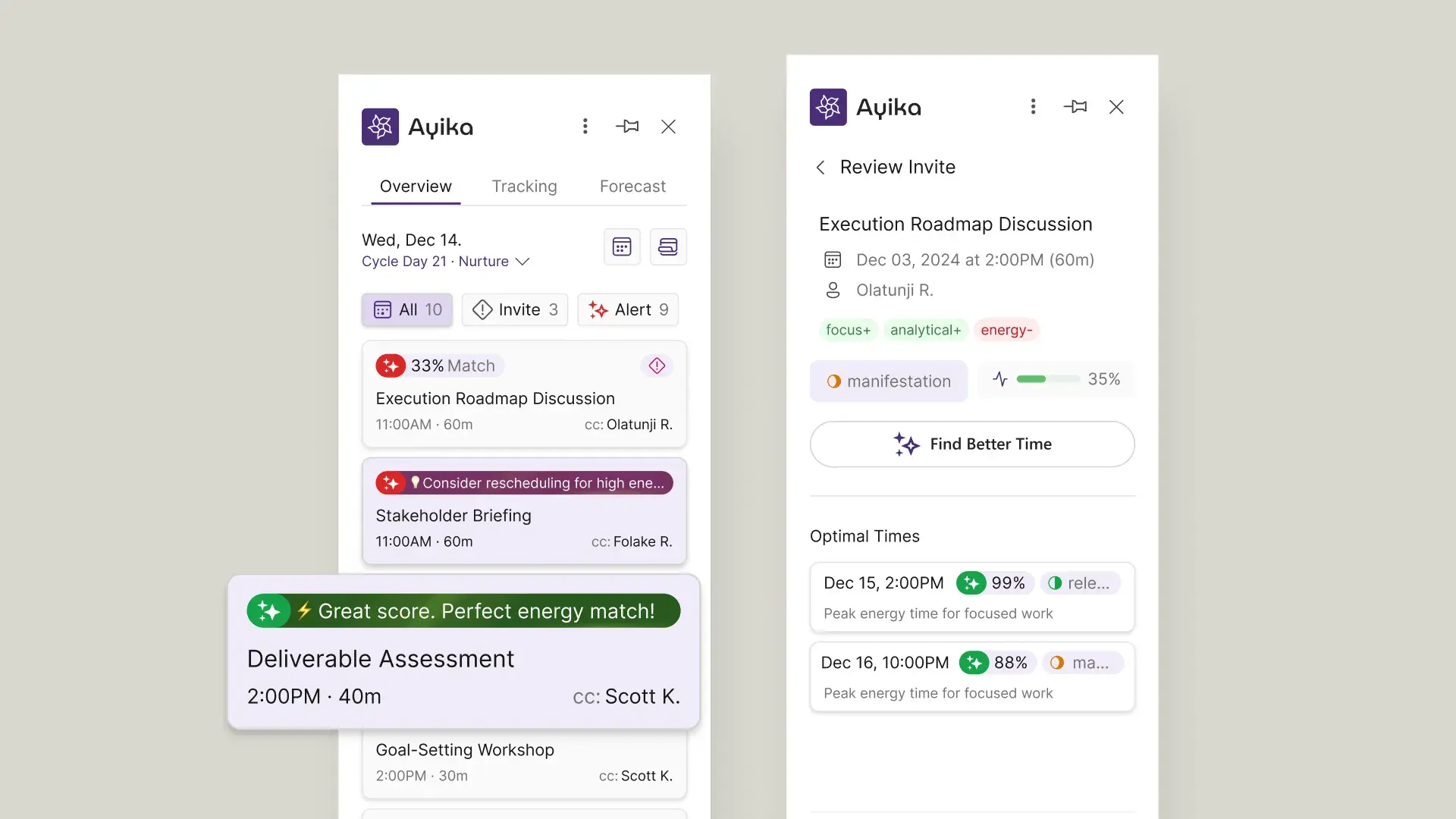
Proactive suggestions, not just scores
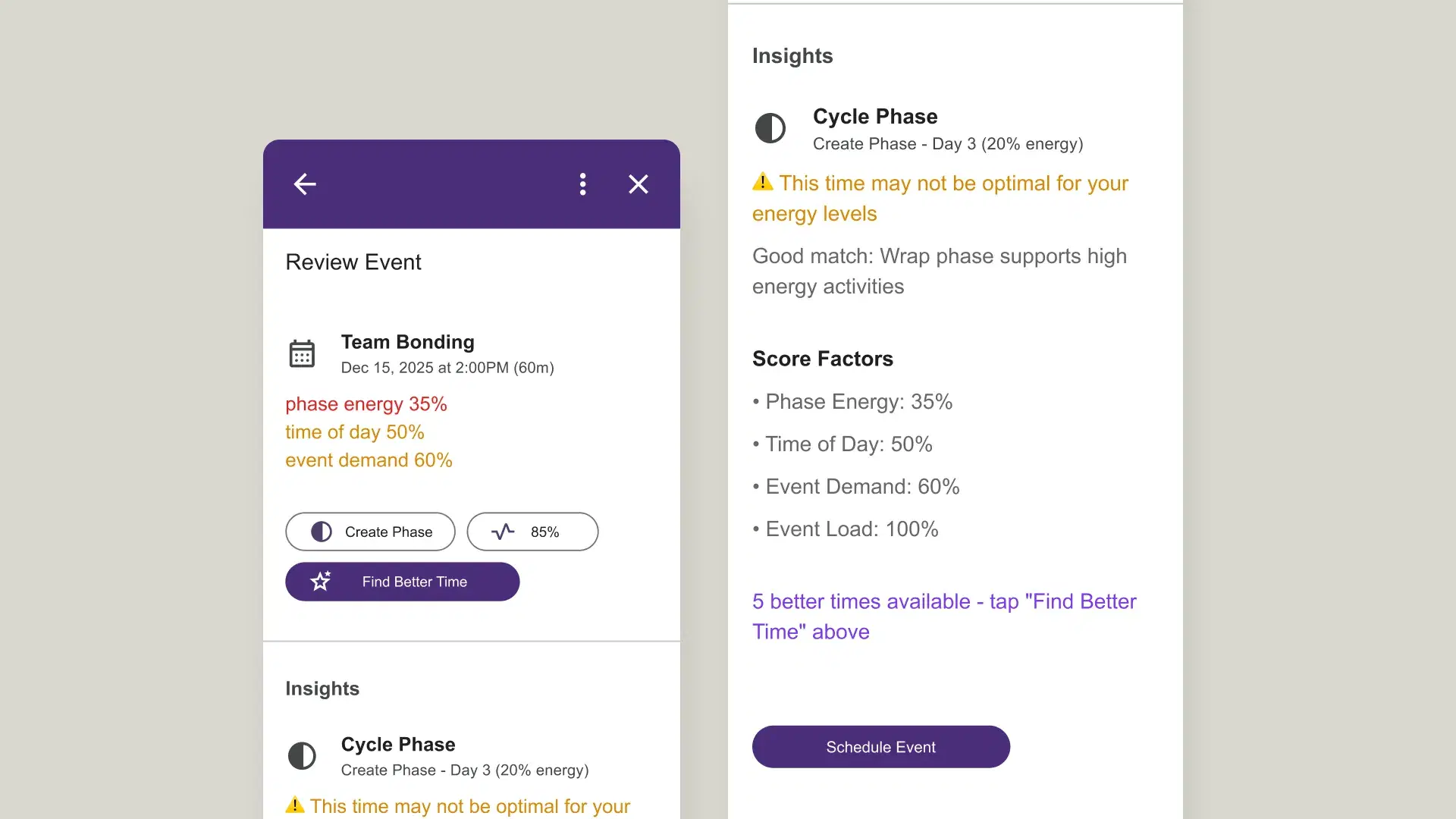
Show the maths behind every score
MVP scoping
What to ship now. What to hold.
The hardest part of designing a product with this much potential is deciding what not to build yet. I designed the full vision (forecasting, mood tracking, custom ML patterns, data import from other apps), but the MVP needed to prove one thing: do energy scores on calendar events change how people schedule? Everything else is a feature. That’s the hypothesis.
Shipped in MVP
Designed, held for later
The website as conversion tool.
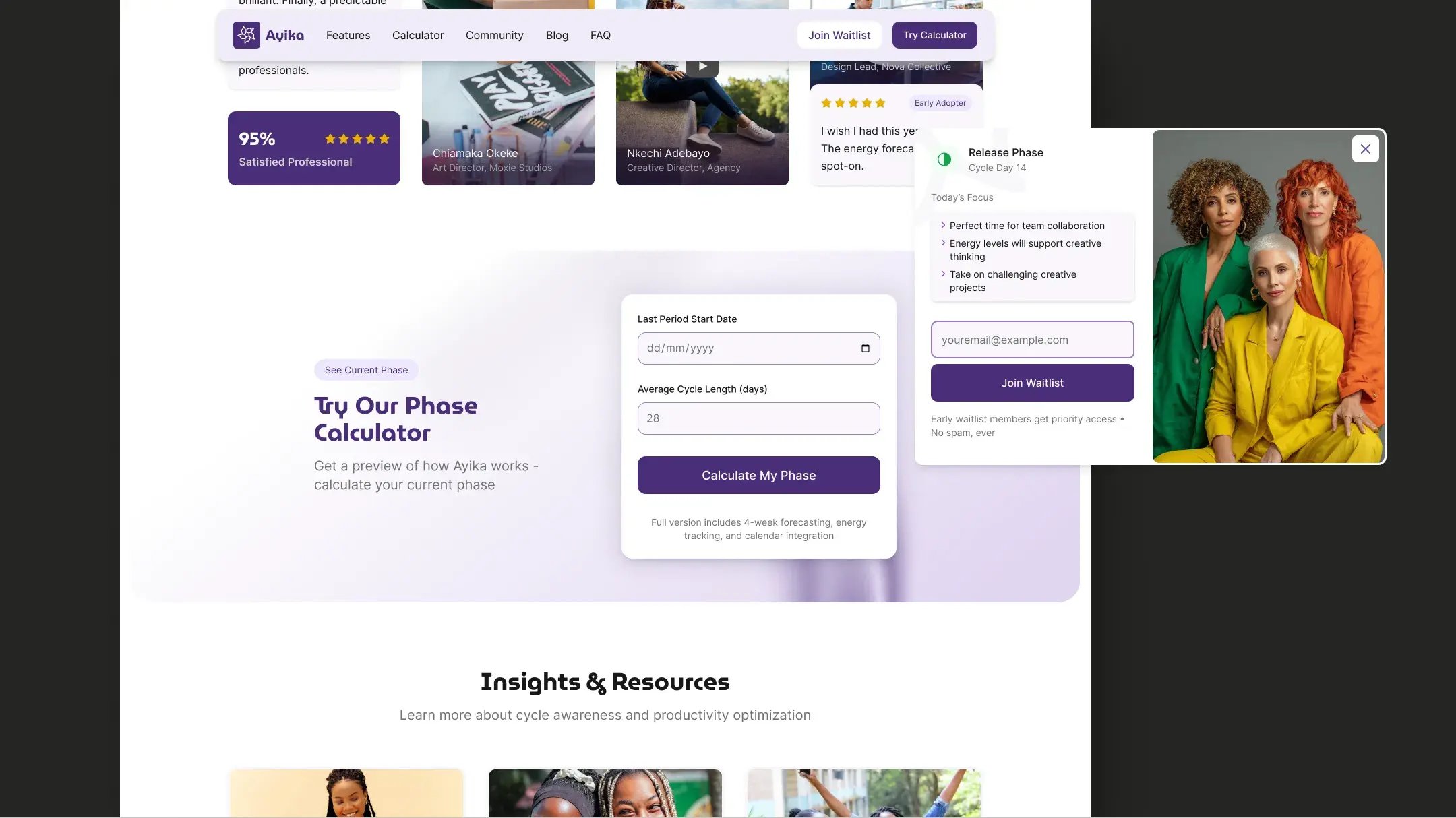
I designed and prototyped the marketing website from scratch: concept, strategy, copy, design, and a coded prototype with micro-interactions to guide the dev team on implementation. The centrepiece: a phase calculator that lets visitors experience Ayika’s core value before installing anything.
Phase calculator
Waitlist → phase result
Coded prototype
Design foundation
Building a system from a brand document.
I received the brand guidelines (colours, fonts, and logo) and built a full design system in Figma: variables and tokens, component library, and the visual language that needed to work across two add-in platforms with radically different rendering capabilities and a marketing website. The challenge was creating a system flexible enough to look polished in Outlook, functional in Google’s stripped environment, and expressive on the web, all from the same token set.
Outcomes
In beta. Proving the hypothesis.
Reflection
Designing for platforms you don’t control.
Ayika taught me something fundamentally different from Spotta (where I controlled everything) and Trainest (where I worked within an established product). Here, I was designing for someone else’s platform, with someone else’s rules, handed off to someone else’s engineering team. That’s a different design muscle entirely, and arguably the one most relevant to working at companies like Notion, Linear, or Figma.
Constraints reveal priorities
Design with dev, not for dev
Prototypes beat specs
Inclusive design is product strategy
The Google add-in is stripped, basic, and honestly ugly. But it works, and that taught me more about product design than any pixel-perfect Figma file ever could.