
Density
How much to show at once, and how to decide. Drawn from Trainest, where the same plan lives on a client’s phone and in a trainer’s dashboard.
Density follows the job. Someone doing one thing gets room. Someone triaging many gets rows.
Two sides, one system
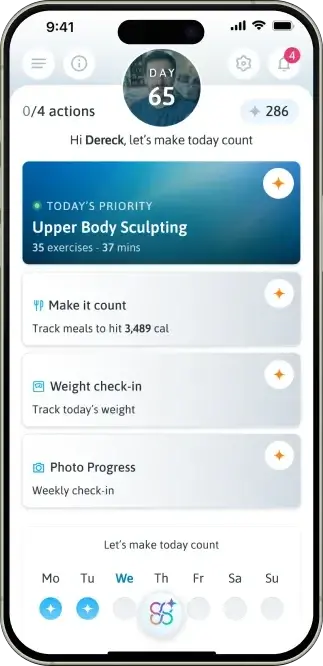
The plan tells people where to start. Nothing to compare, nothing to sort.
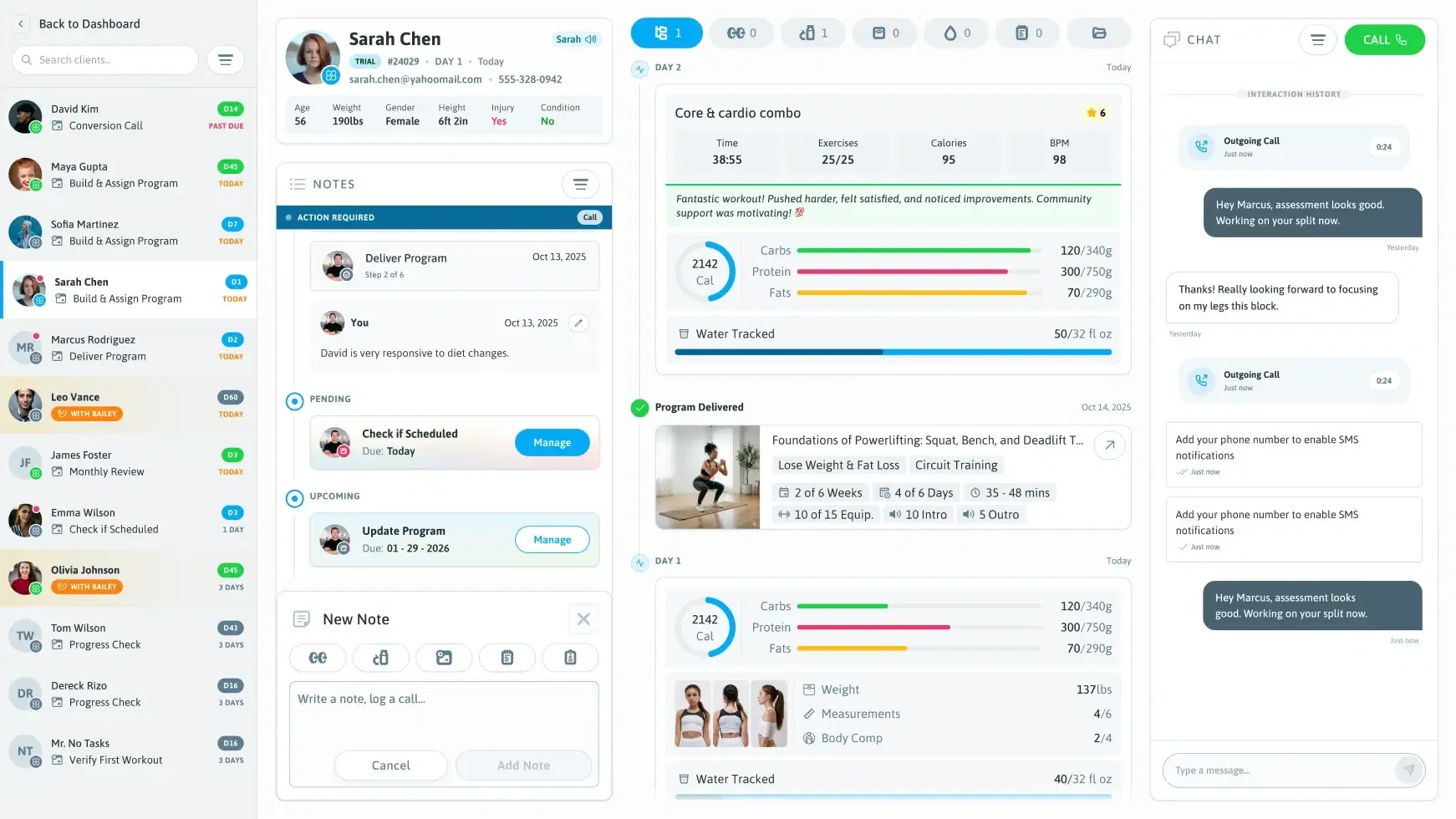
A client sidebar with priority badges, then biometrics, notes and TrackInfo side by side, so a trainer can spot who needs attention and act.
Try it
Sample data
0/4 actionsDay 65
Hi Dereck, let’s make today countThe question this view answersWhat do I do today?
On screenOne person, one day, four actions
Same data, two jobs. Every trainer decision had to show up correctly on the client’s side: a programme in the dashboard became “Today’s Priority: Upper Body Sculpting, 35 exercises, 37 mins” on the client’s phone.
Density by job
| View | Product | The job | Density |
|---|---|---|---|
| Today’s Plan | Trainest, iOS | Know what to do today | Low. Four actions, one screen |
| Client sidebar and TrackInfo | Trainest, web | Triage many clients | High. Priority badges and metrics in one scannable view |
| Event panel | Ayika, Outlook | Review an event against your energy | Richer. Styled score cards, phase tags and tabs |
| Event panel | Ayika, Google Calendar | The same job | Set by the platform. Plain text, no cards, no tabs |
| Glossary | The Seed Protocol | Study a word | Low. Spacing lets the linguistic data breathe |
| Timer | Oya | Focus on one countdown | One screen, so every pixel carries weight |
Rules
- Set density per view, from the job someone is doing there.
- Keep the data the same. Change how much of it you show.
- Give triage views status, badges and order people can scan.
- Give focus views one obvious next step.
- Squeeze more onto a screen whose job is one thing.
- Pad a working tool until the list no longer fits.
- Pick one density for the whole product.