
Navigation
How people find their way, and when the best navigation is less of it. Drawn from Trainest, where four tabs became one plan, and Oya, where every action lives on a key.
Organise around what people came to do, not around your features.
Before and after
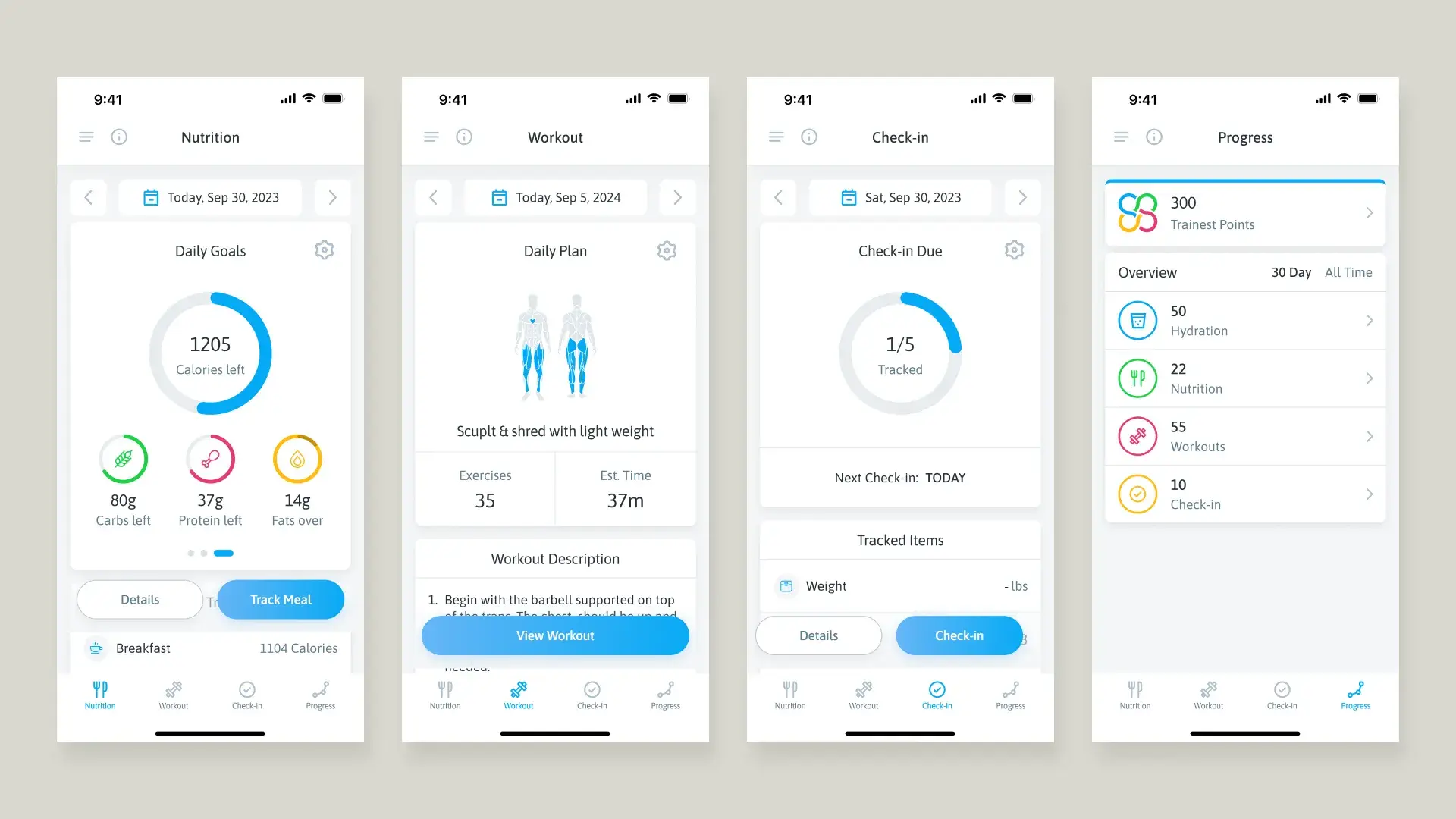
Nutrition, workout, check-in and progress, each in its own silo. People opened the app and didn’t know what to do.
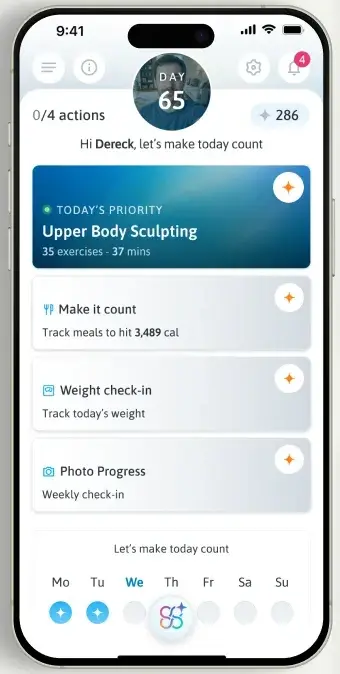
People don’t choose where to start. The plan tells them.
Try it
Nutrition
Daily goals1205
- Taps so far
- 0
- Still hidden
- Workout
- Check-in
- Progress
The app should answer one question: what do I need to do today? Not which tab to open.
Keys as navigation
Oya has one screen, so there’s nowhere to go. Navigation becomes reaching an action without looking. Moving to the mouse breaks flow, so every action lives on a key.
- Space
- Start or pause
- Take off or add 5 seconds. A toast confirms it, no modal.
- 123
- Switch preset
- R
- Reset
Ways in
| Way in | Product | How |
|---|---|---|
| A plan instead of tabs | Trainest | Four tabs became one daily screen. The plan says where to start. |
| Keys instead of clicks | Oya | Space, arrows, 1 2 3 and R. No menus. |
| Search straight to a street | Spotta | Server-rendered pages with structured data, so a search like “Allen Avenue Ikeja reviews” can land on the street page |
| A link to one review | Spotta | Every review has its own shareable deep link |
| Tabs only where allowed | Ayika | Outlook gets Overview, Tracking and Forecast tabs. Google Calendar allows none. |
| A sidebar and search | This portfolio | Docs-style sidebar, search on ⌘K, and an “On this page” rail on long pages |
Rules
- Start from the question people open the app with.
- Put the next step on the first screen.
- Give frequent actions a key.
- Make every page reachable from search and from a link.
- Copy your feature list into the tab bar.
- Make people tap around to find out what’s due.
- Hide a frequent action behind a menu.