
Turning four tabs into a daily plan.
Trainest’s workouts, nutrition, check-ins and progress lived in separate tabs. Members had features, but not guidance. I led product design across the member app and the trainer platform, and turned those tabs into Today’s Plan, one daily checklist, shaped by the trainers coaching them.
Project details
- App Store rating
- 4.5★From 74 App Store ratings
- Trainer productivity gain
- 65%Trainers on the new dashboard manage more clients with less overhead
- Daily actions
- 4Workout, nutrition, weight check, photo
- Scope
- Product strategy → Prototype
- Platform
The problem
Members had features, not guidance.
Most fitness apps are built as feature collections: a workout tab, a nutrition tab, a check-in tab, a progress tab. Trainest was too. Members opened the app and didn’t know what to do. They bounced between sections, missed steps, and eventually stopped opening the app. The features existed, but the guidance didn’t.
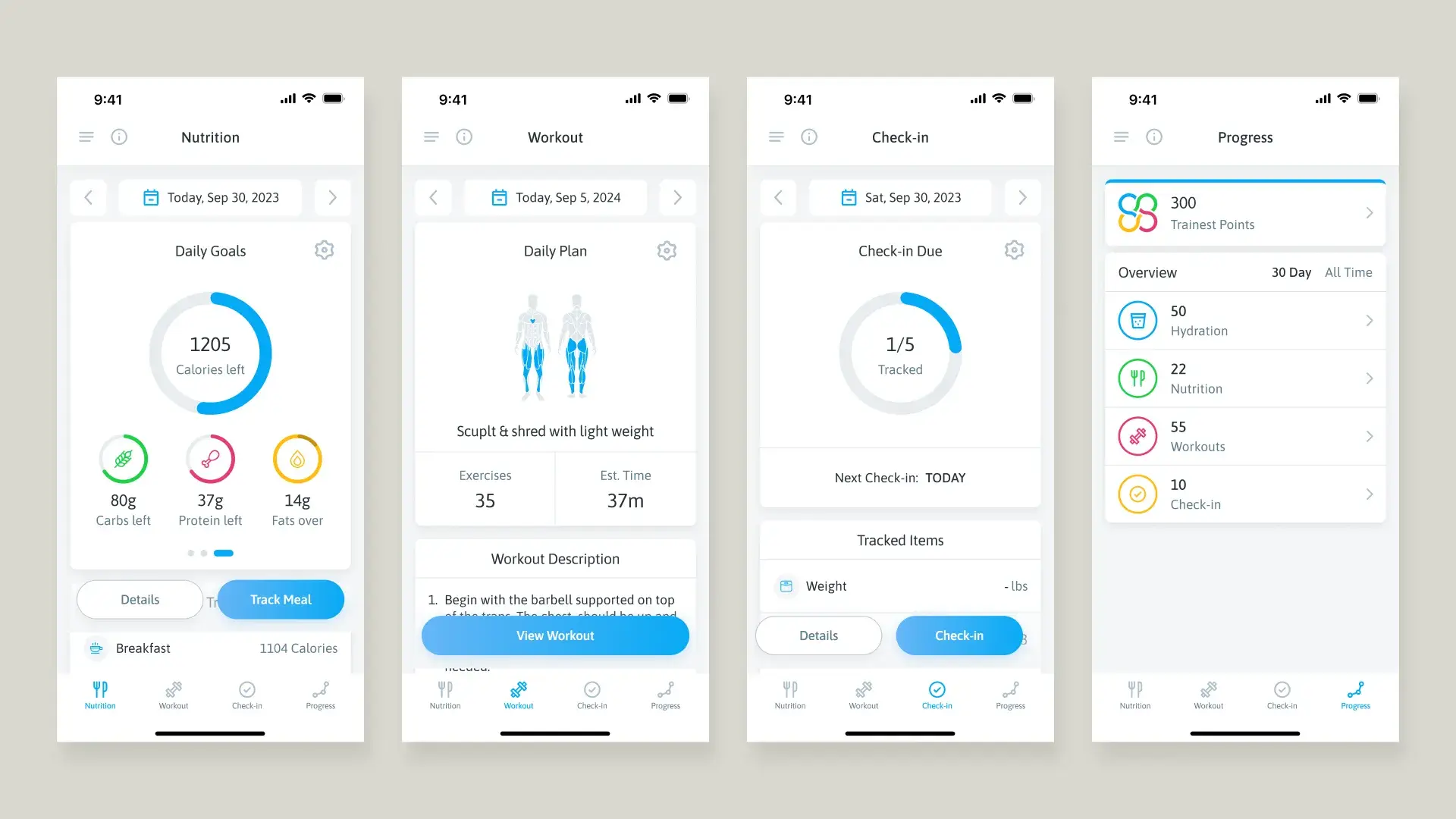
The product team, the founder included, had a conviction: the app should answer one question: “What do I need to do today?” Not which tab to open. Not how to configure a macro split. Just: here’s your plan, check it off, watch your progress build.
My role
Both sides of the product, with little time.
I led product design for the iOS member app and the trainer web platform, and prototyped the key interactions in code so the developers could feel the exact details: checklist animations, photo card transitions, Action Score celebrations, the shift from one emotional state to the next.
Trainest was a startup, so every design decision was also a business decision, and the runway was short. Our lead developer argued for simplicity: “simple scales, fancy fails.” One clear offer, he said, would earn more trust than a confusing array of choices. The business needed the product to prove its value quickly.
My job was to find the design that did both. Today’s Plan became the answer because a single, compelling daily experience was both the best experience and the strongest conversion argument. Members who complete four daily actions don’t need to be sold on the product. They’ve already felt the value.
We deferred social community features, custom ML-driven plans and advanced analytics to focus the first release on one hypothesis: if we simplify the day to a checklist with a score, will people stay?
The decision
Organise the day, not the features.
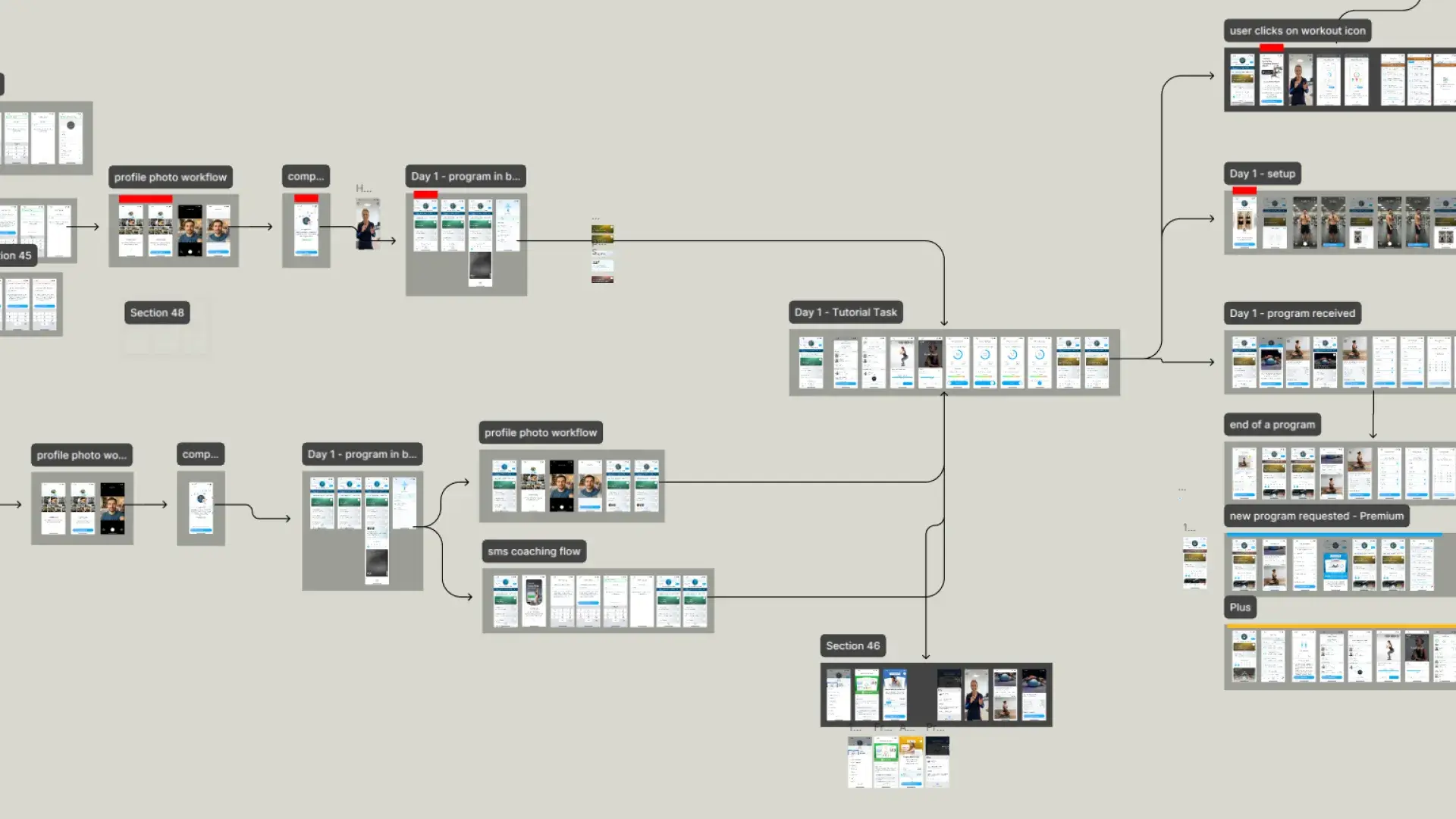
The tab architecture kept workouts, nutrition and check-ins in silos, and earlier mockups of a unified dashboard hadn’t clicked. “This is the wrong version, because we had a version with it in the middle” was a recurring line in our working sessions. We worked through several concepts:
Option A: assessment-first onboarding
Assessment questions before account creation, then a paywall or tour after signup, with each feature onboarding itself. Familiar, and close to what competitors did.
Option B: the fitness plan as a centre tab
Dereck’s vision: position the app as a ‘personal fitness plan’, with a tab for ‘Your Trainer’s Fitness Plan’ (today’s workout, check-in, adherence ring). Closer, but still organised around the app rather than the member.
The reframe
We stopped asking ‘how do we organise features?’ and started asking ‘what does the member need to do today?’ That question collapsed four tabs into one daily checklist. The home screen is the plan. Not a hub to navigate from. The thing itself.
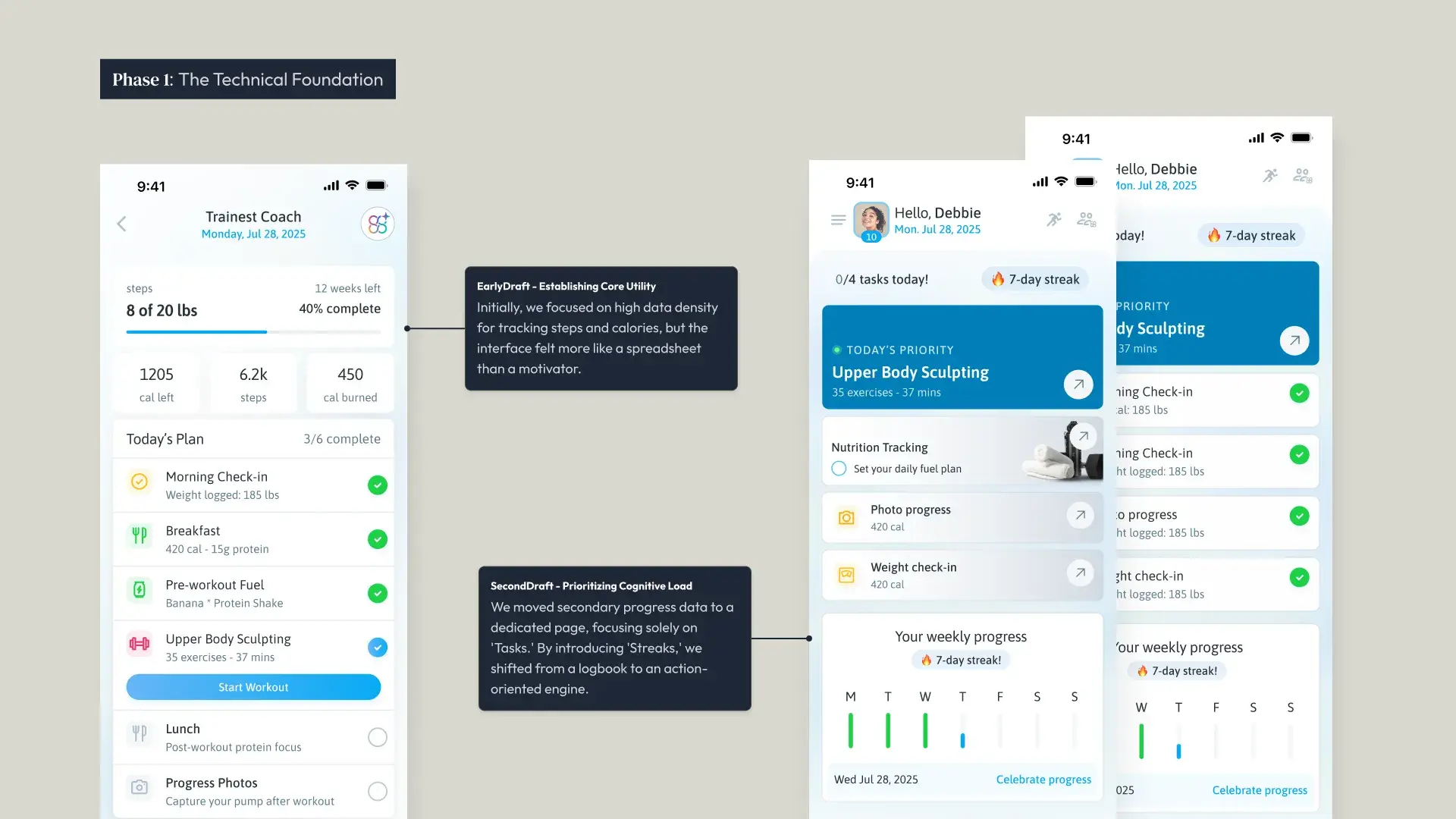
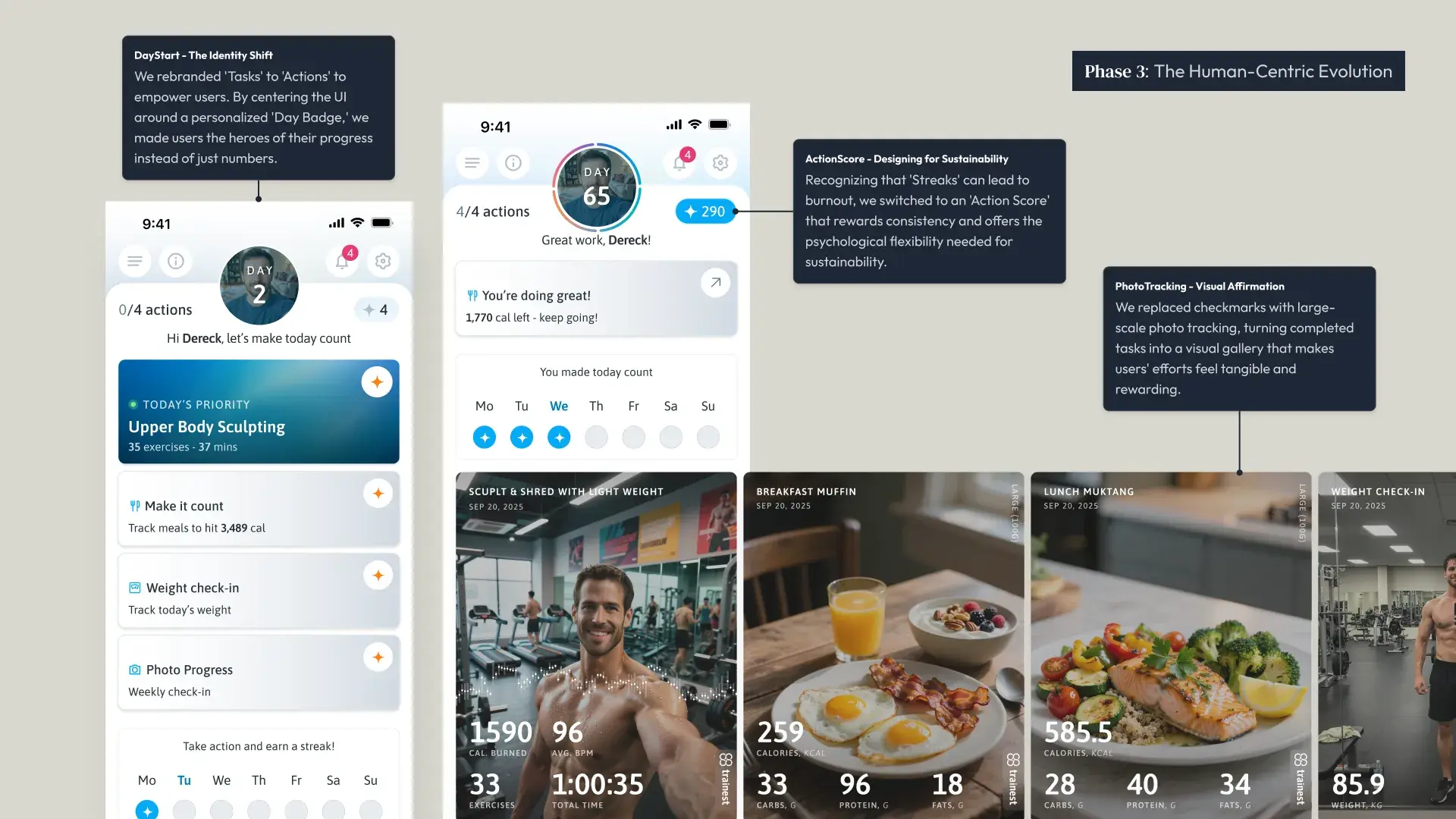
Today’s Plan puts the workout, nutrition target, weight check-in and progress photo on one screen, each with a clear action and its context (Track meals to hit 3,489 cal). Members don’t choose where to start; the plan tells them. A day counter (Day 65, Day 86…) and the active days along the bottom keep the run of consistency in view.
The system behind it
Trainers fill the plan.
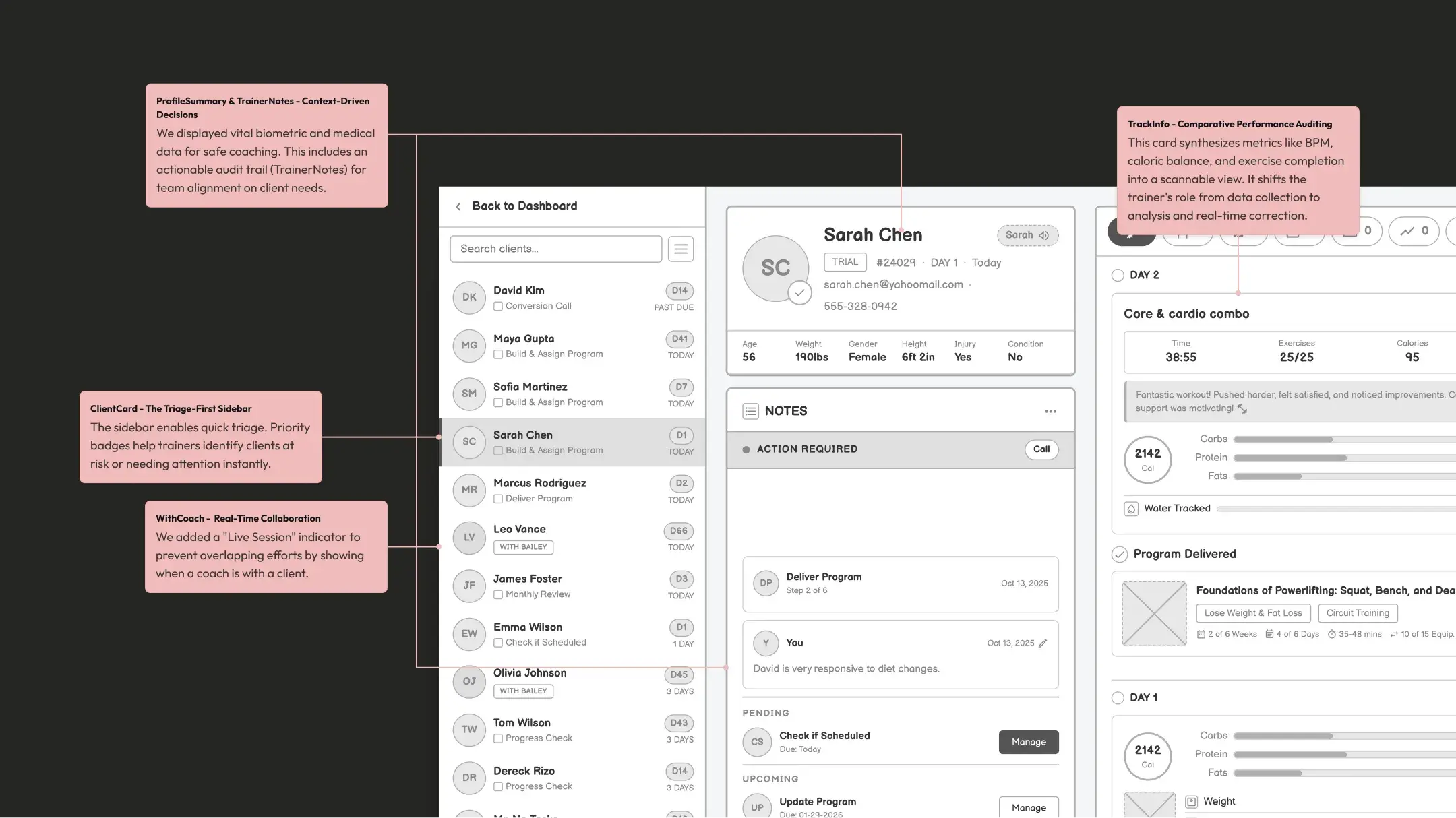
Today’s Plan only works if trainers can build and manage those plans efficiently. The plan isn’t generic: a trainer builds a programme (Upper Body Sculpting, 35 exercises, 37 mins) and the member just sees ‘Today’s Priority’. The thinking is done for them.
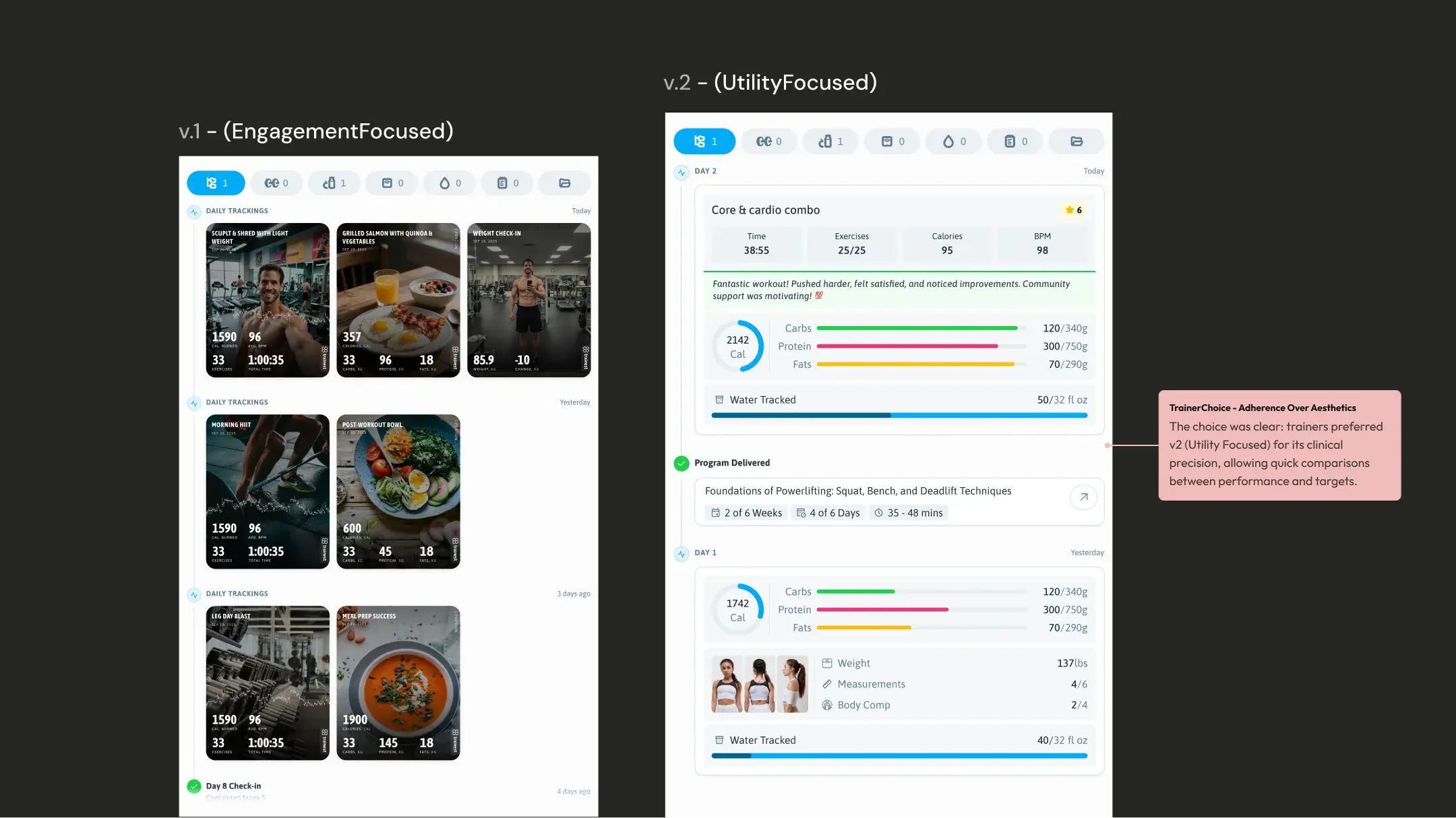
So I designed the trainer platform as the engine of the member’s day, not a separate product. Every trainer decision had to land correctly on the member’s phone, which made every wireframe session a systems architecture discussion too.
Programme delivery
Client pipeline
The daily picture
The daily loop
What makes the plan stick.
The plan gives members something to do. These are the mechanisms that bring them back to do it.
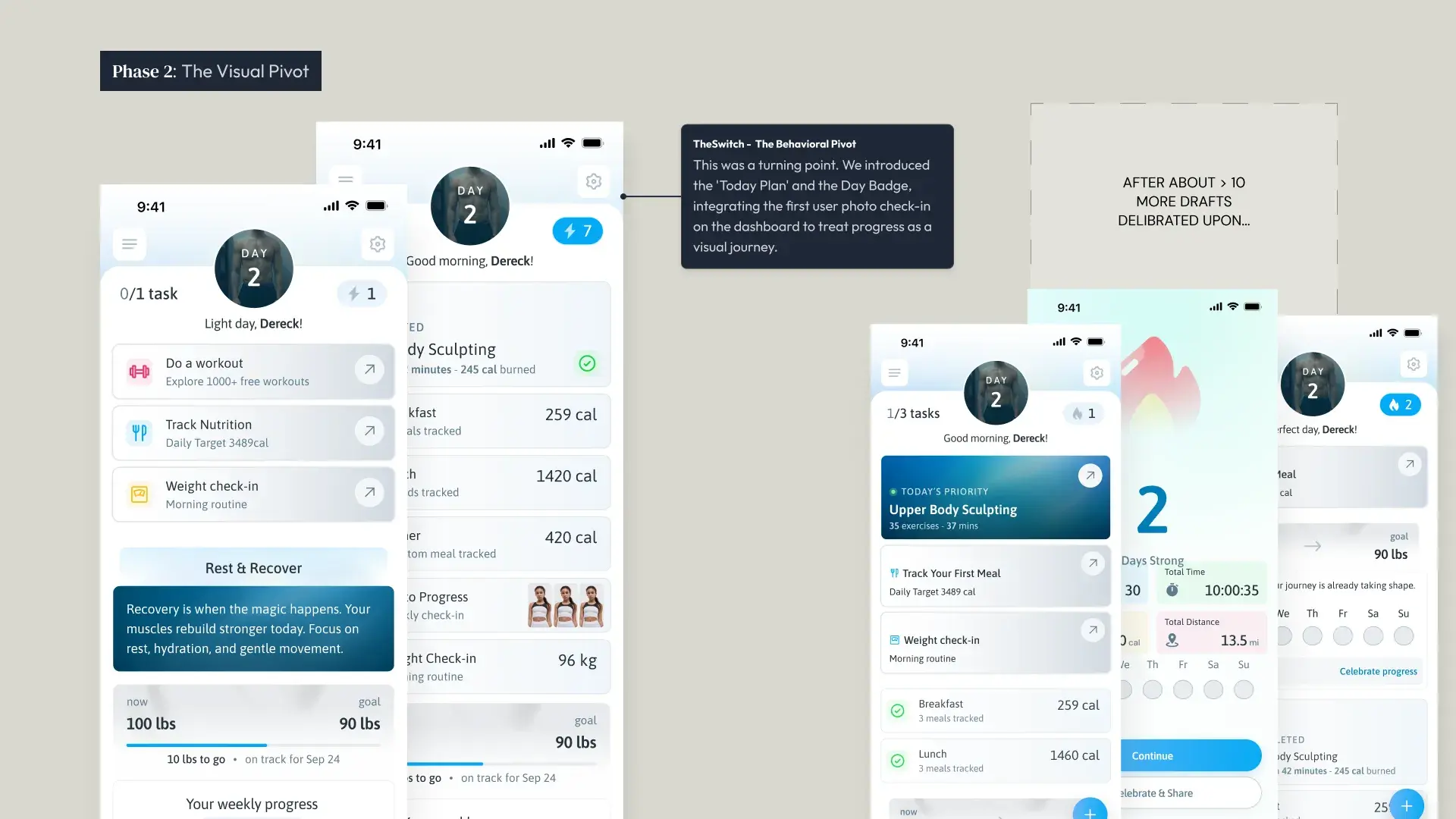
Two states, one reward loop. The dashboard moves from ‘0/4 actions: let’s make today count’ to ‘4/4 actions: Great work!’. The shift between them is the reward.
The Action Score, not a streak. Streaks are fragile: miss one day and the motivation collapses. The Action Score always grows when you show up and gently penalises inaction, so it rewards consistency without punishing life getting in the way.
Over time the Action Score page becomes a complete record of someone’s fitness journey: the total, this week’s points, and every action by day, missed days included.
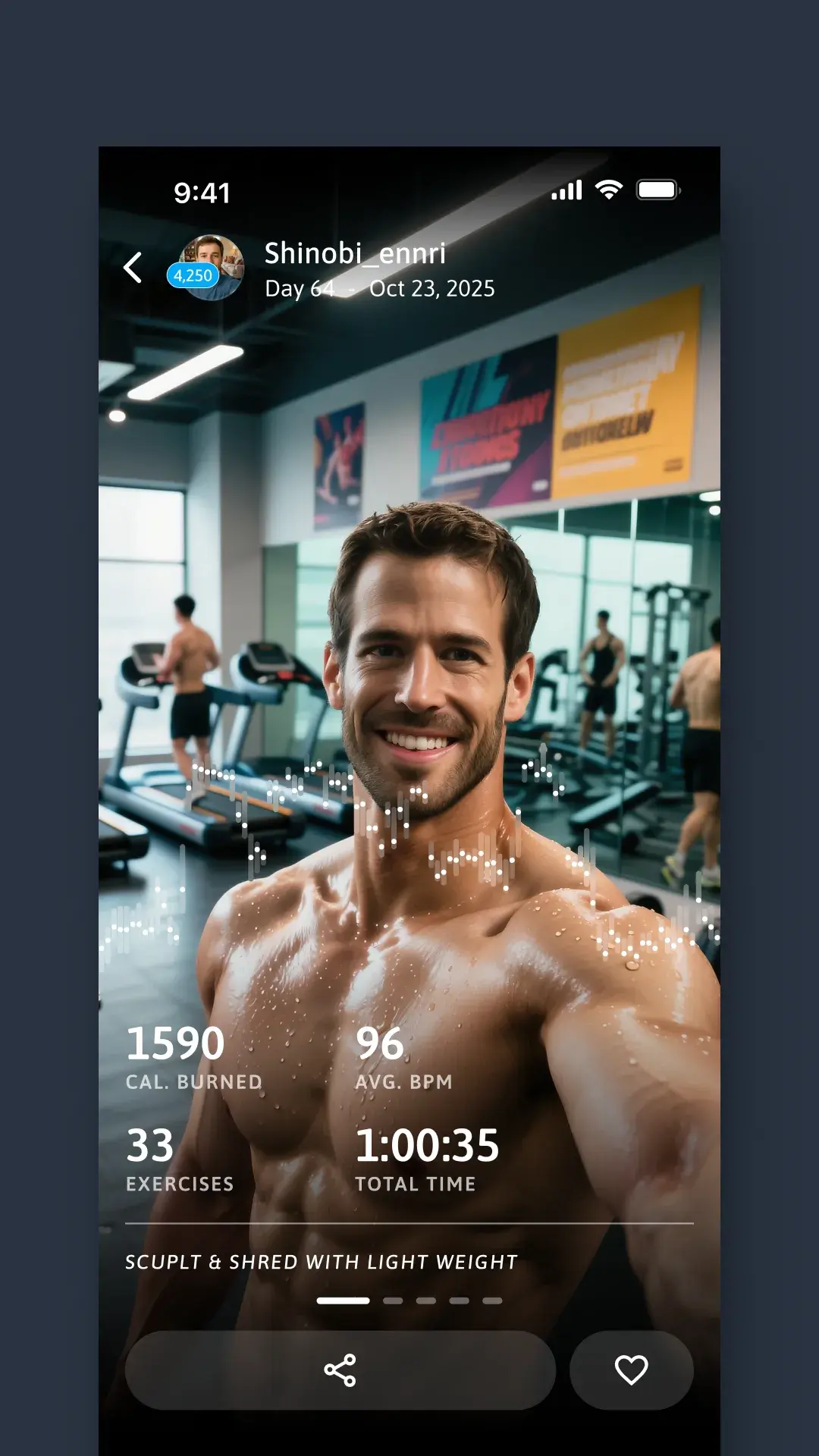
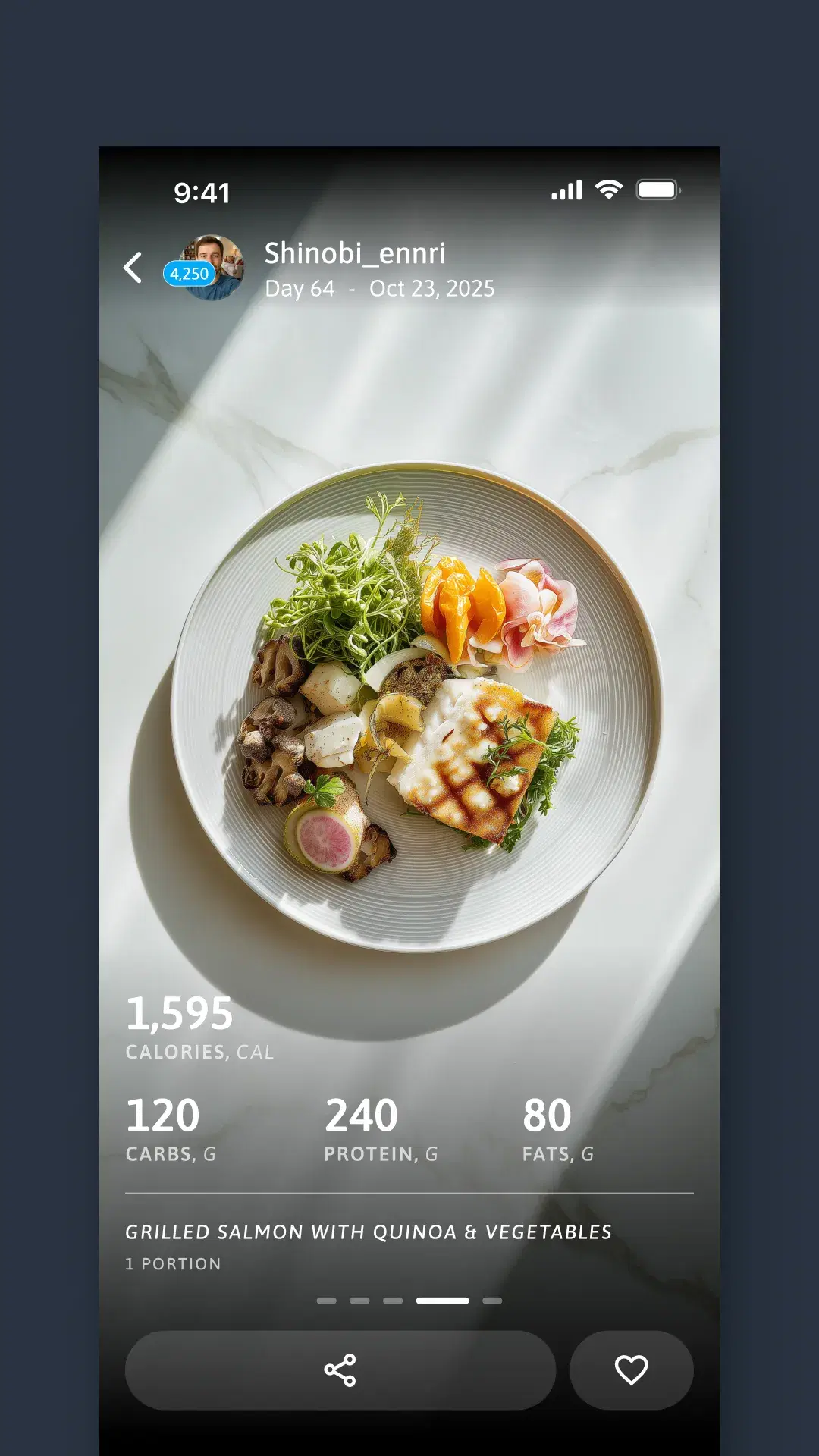
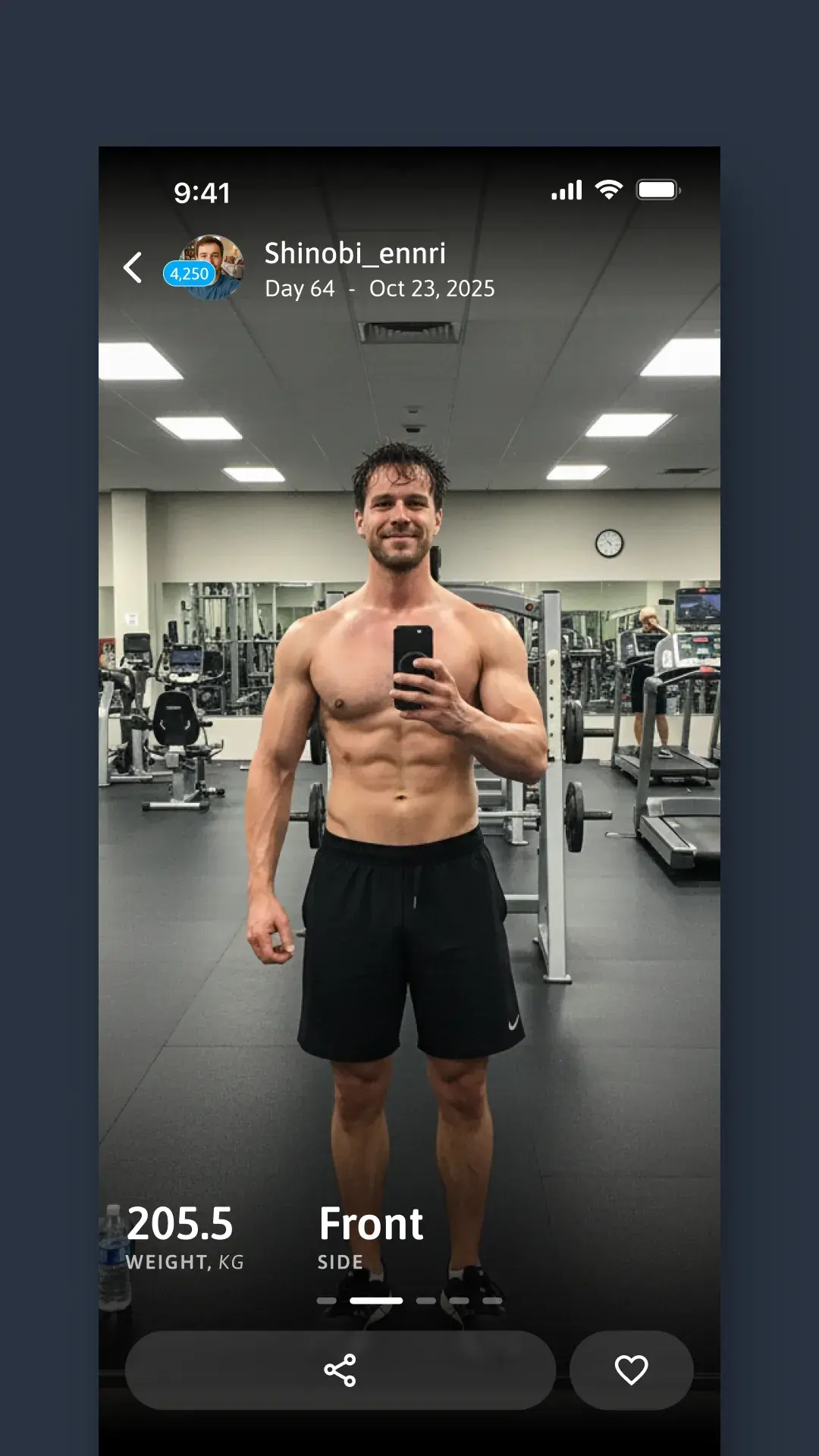
Photos as the immediate reward. Every completed action can carry a photo, and it comes straight back as a highlight card on Today’s Plan, with the stats laid over it, right where the work happened. Together they make a timeline of the journey, shareable on social media.
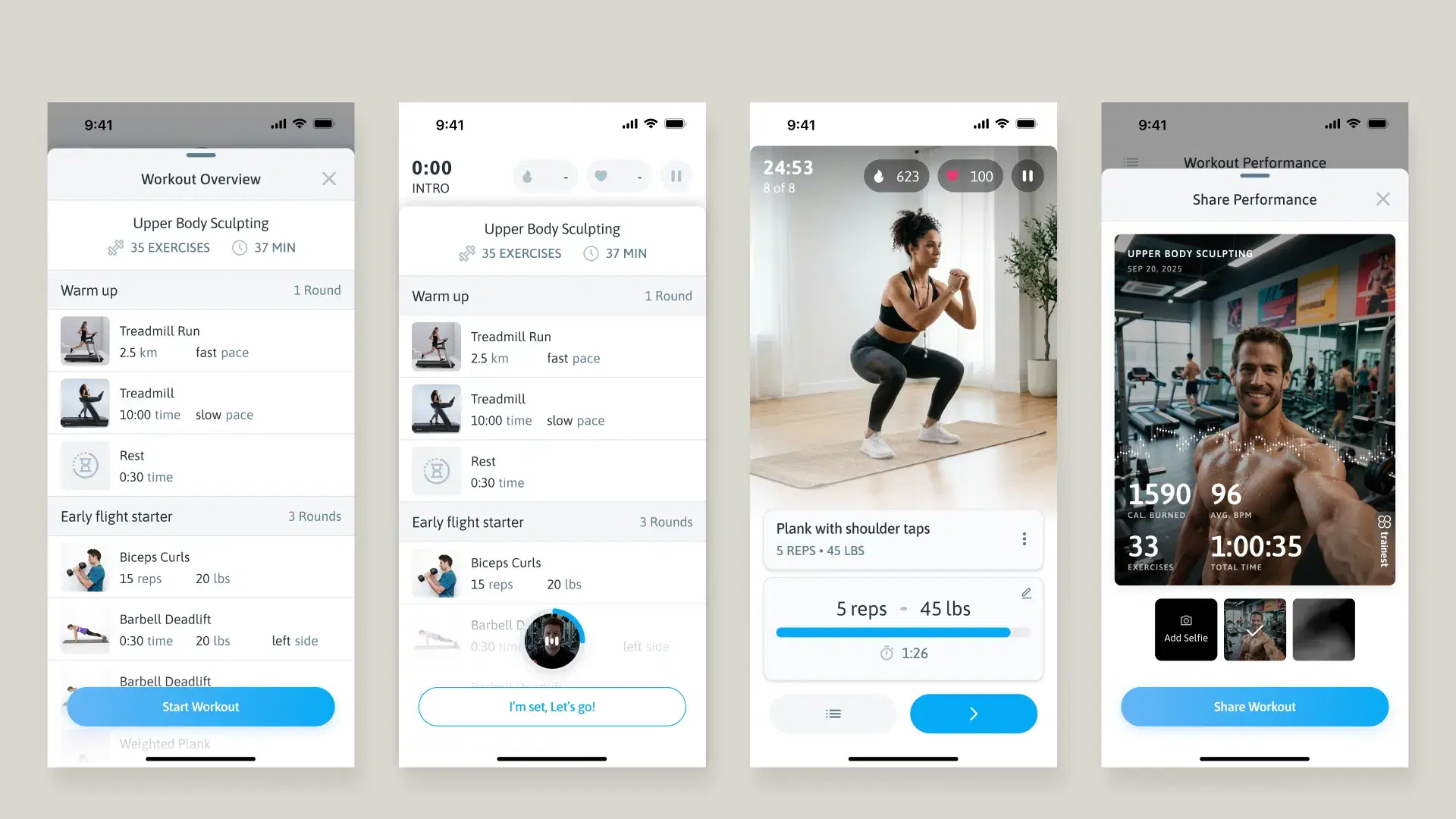
The workout as a story arc, not a form
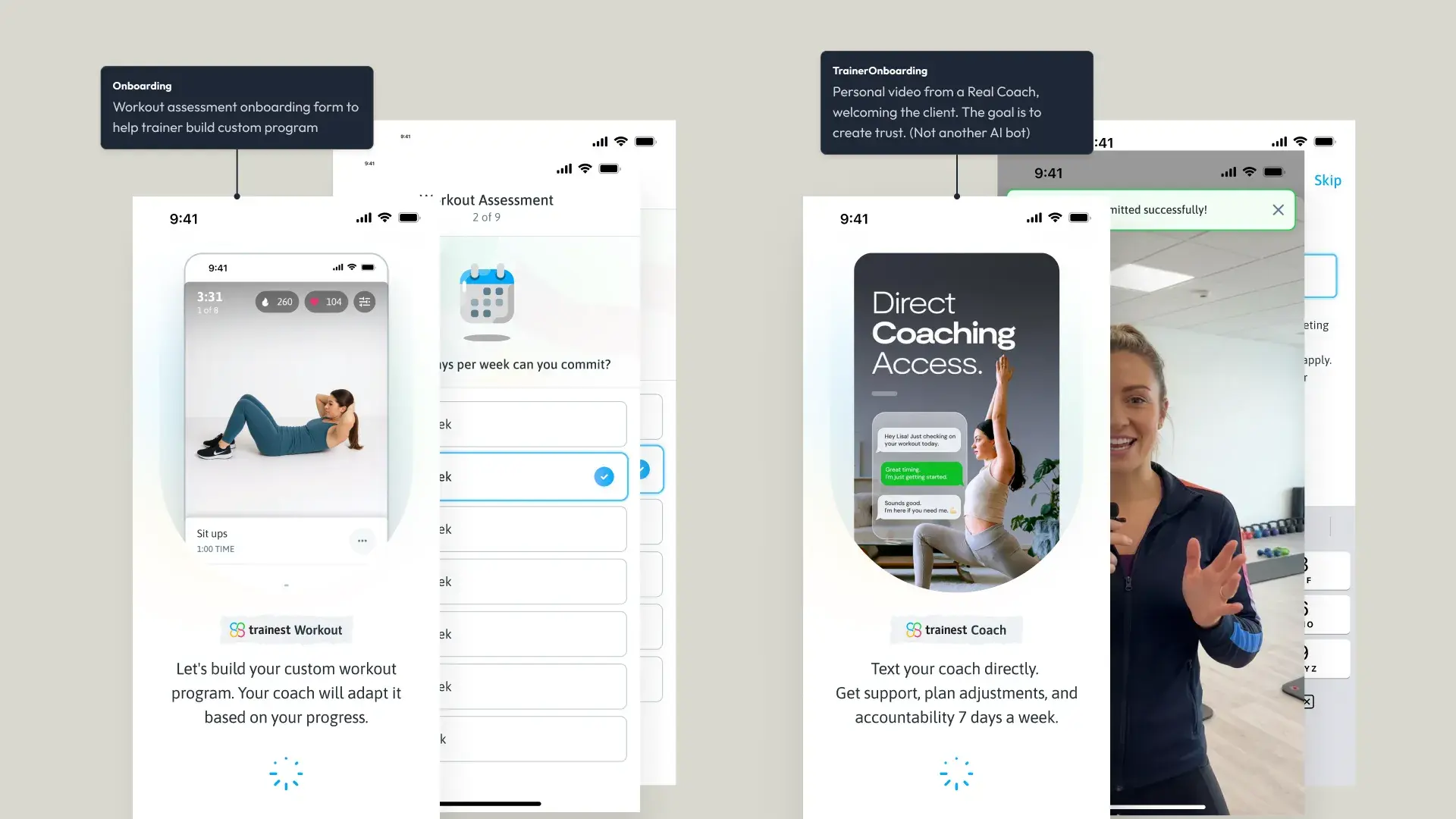
A relationship, not a feature set
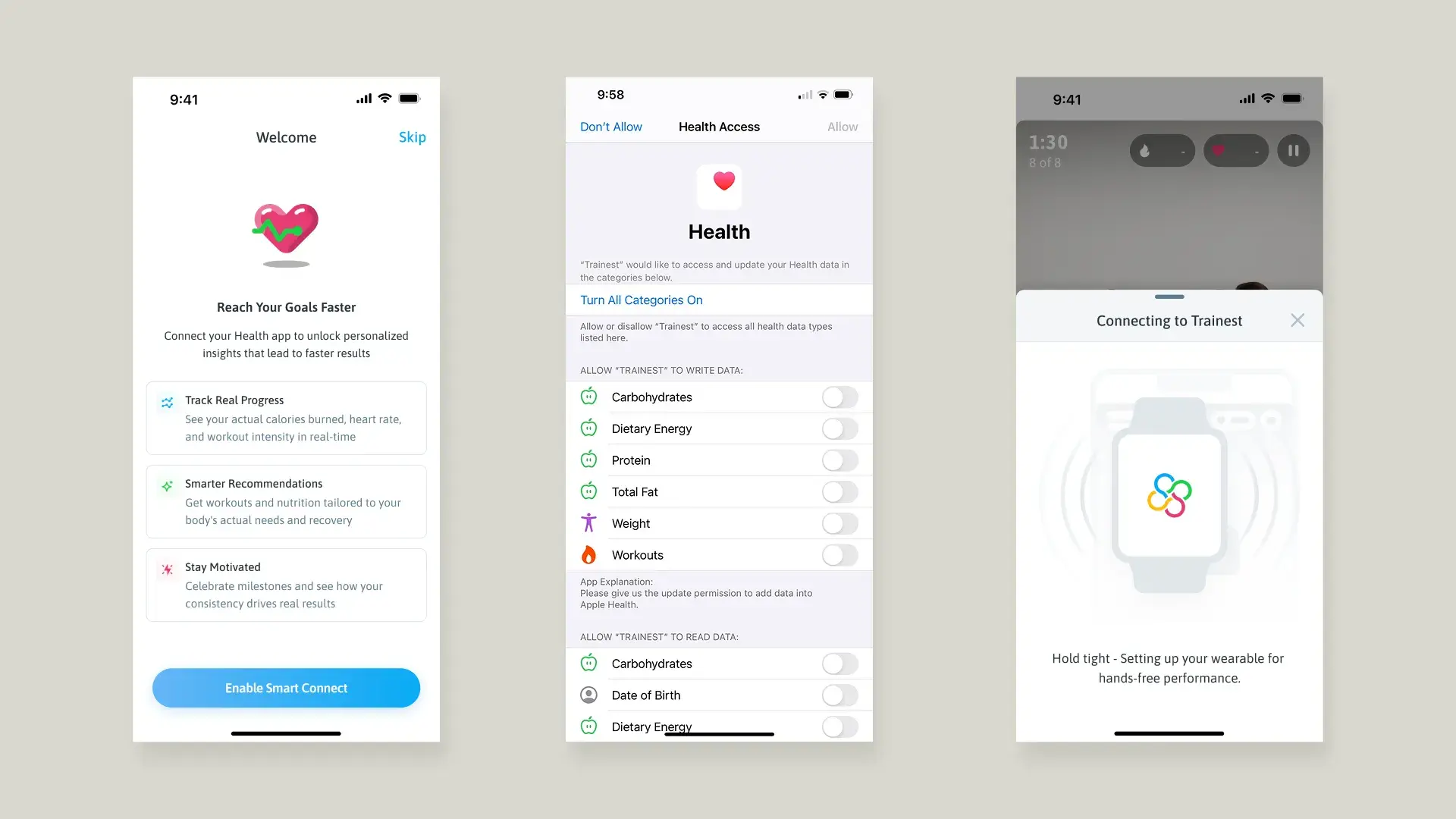
Real metrics, offered as a benefit
The product in practice
What members and trainers got.
The reviews speak to the product as members live with it: structure, simplicity and accountability.
This app keeps me consistent!
Everything is structured and easy to follow, which takes the guesswork out of training. The workouts are well thought out, challenging without being overwhelming, and easy to fit into my routine.
Exactly what I was looking for
I didn’t believe there existed an app of this quality that is completely free, no ads, no subscriptions. It looks great, it works great, and it’s very easy to use.
Reflection
What I learned.
The hardest product problem isn’t adding features. It’s finding the one view that makes everything else unnecessary. Today’s Plan doesn’t hide the complexity; it resolves it. Workouts, nutrition, check-ins and progress photos all still exist, but members never have to think about where to find them.
A two-sided product has to be designed from both sides at once. Every decision on the trainer platform shaped the member’s day. The best decisions came from understanding how the two connect.
Simplify your fitness journey. That was the mantra. Every screen, every flow, every decision was filtered through that single question: does this make the journey simpler?